
Why Your Construction Time Tracking App Needs to Work Offline
Construction sites have terrible connectivity. If your time tracking app needs internet to work, your crews are stuck writing times on paper anyway.
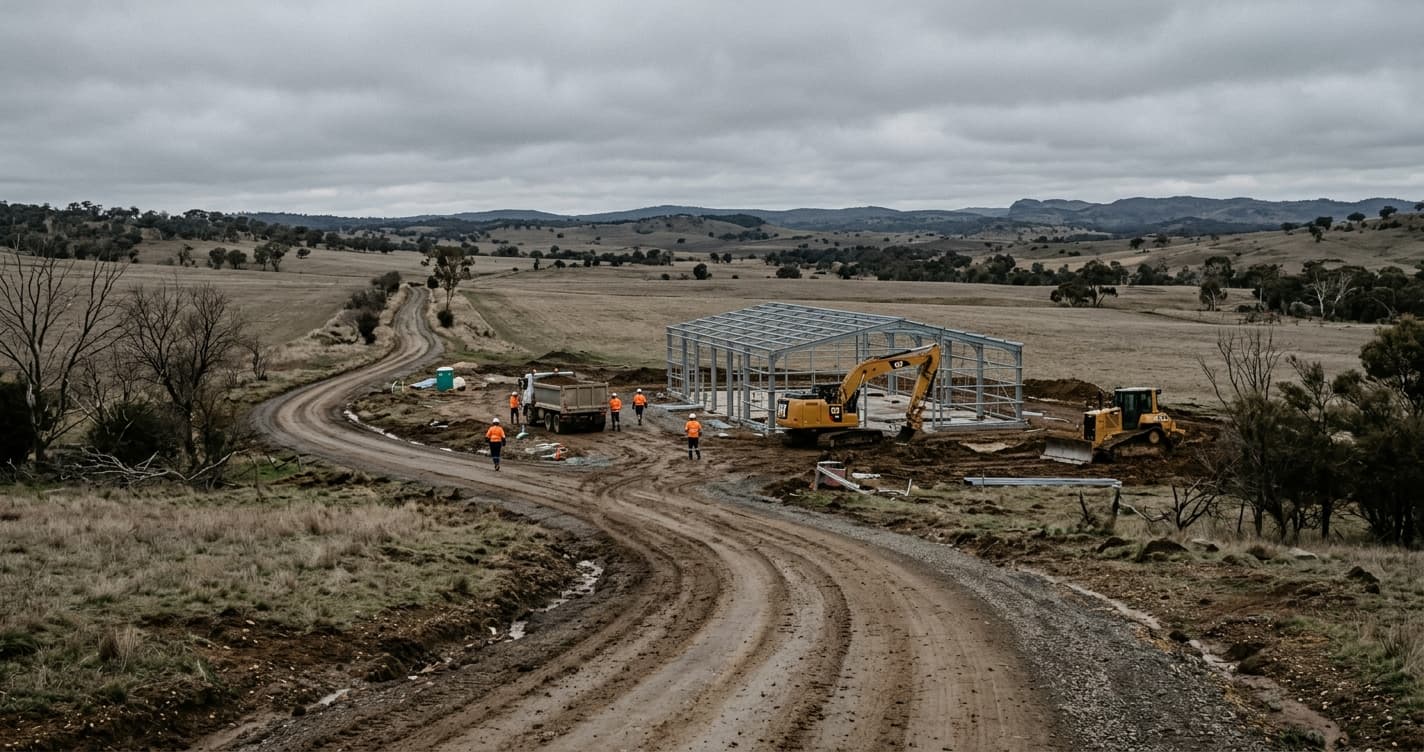
Your crew shows up at 6:45 AM to a new build. The foundation is poured, framing starts today, and there's no Wi-Fi within half a mile. Cell signal? One bar if you hold your phone above your head near the porta-john.
The foreman opens the time tracking app the office just rolled out. It spins. And spins. "Clock In" stays grayed out. He tells the crew to write their start times on a piece of paper and he'll deal with it later.
That's the moment the whole point of digital time tracking falls apart. You bought the app to get rid of paper. Now your crew is back to paper because the app can't do its one job without a signal.
This happens every day on construction sites across the country. And it's not a fringe problem. It's the default condition of most job sites.
Construction sites are connectivity dead zones
People who design software tend to work in offices with fast Wi-Fi. They test on reliable networks. They assume internet access is a given. On a construction site, it's a luxury.
New builds have no infrastructure. There's no Wi-Fi router in a half-framed house. Cell towers might be miles away on a rural lot. Even in the city, a basement dig or a concrete parkade kills signal the moment you walk below grade.
Here's a short list of places where your crew regularly works with little to no connectivity:
- Basements and underground parking structures. Concrete and rebar block cell signals almost completely.
- New construction. No power, no Wi-Fi, and often weak cell coverage because the site is on the edge of development.
- Rural and remote sites. Road work, pipeline projects, utility installations miles from the nearest tower.
- High-rise interiors. Elevator shafts, stairwells, mechanical rooms, all dead zones.
- Urban sites surrounded by large structures. Signal bounces and weakens between buildings.
Your workers shouldn't have to walk to the street corner to clock in. That's not a workflow. That's a workaround.
What happens when your app needs internet
When a cloud-dependent time tracking app hits a dead zone, the problems cascade fast.
Workers can't clock in or out. The most basic function of the app stops working. The worker is standing on the job site, ready to go, and the app won't let them record it.
Paper makes a comeback. The foreman tells everyone to write their times down and submit them later. Now you have two systems: the app and the paper backup. The paper backup is doing all the actual work.
Missed punches pile up. Workers forget to go back and enter their times once signal returns. Some enter them at the end of the day from memory. Some don't enter them at all. The admin chases them down on Monday morning, which is exactly what the app was supposed to prevent.
GPS verification breaks. The whole point of GPS-verified time entries is proving a worker was on site when they clocked in. If the app can't reach the server, it can't record location data. You get a timestamp with no proof of where it happened.
Workers give up. After a few days of fighting with an app that won't load, most people stop trying. They go back to texting the foreman or filling out paper timesheets. Adoption drops, and the app becomes another failed tech rollout.
The result is the worst of both worlds: you're paying for time tracking software AND still chasing paper timesheets.
"Offline mode" is not the same as "offline-first"
Some apps will tell you they support offline use. Read the fine print.
Most of them are online apps with a thin fallback. They were designed to work with internet and then had offline patched on as an afterthought. In practice, that means features degrade when you lose signal. You might be able to clock in, but you can't select a cost code. Or you can start a shift, but forms and equipment logging don't work. Or the sync fails when you reconnect and you lose data.
An offline-first app is fundamentally different. The app is built to work without internet as its normal state. Everything runs locally on the device. The server is for syncing data when a connection is available, not for making the app function.
This is the difference between an app that tolerates bad connectivity and an app that was designed for it.
How WorkxPro handles this
We built WorkxPro knowing that construction sites don't have reliable internet. Offline is not a fallback for us. It's the starting point.
The mobile app stores all data locally on the device using SQLite. When a worker opens the app on a job site with zero connectivity, everything works:
- Clock in and out with job site selection and cost codes. The timestamp and all associated data are saved to the device immediately.
- GPS location is captured locally. The phone's GPS works independently of cell or Wi-Fi signals. WorkxPro records the worker's coordinates at clock-in and clock-out regardless of connectivity. When the data syncs, the admin sees the verified location.
- Break tracking and shift segments work exactly the same offline. Workers can start breaks, switch cost codes, or move between job sites throughout the day.
- Equipment logging lets workers record equipment usage with hours and photos, all saved locally.
- Forms and task completion work offline too. Workers can fill out custom forms, capture photos, and add signatures without a connection.
When the worker drives home, walks to a part of the site with signal, or connects to Wi-Fi at the end of the day, everything syncs automatically in the background. No manual upload. No "please sync now" button. The app handles it.
From the admin's perspective, the data shows up clean and complete. There's no difference between an entry recorded with full LTE and one recorded in a basement with no signal. Same timestamps. Same GPS coordinates. Same cost codes. Same photos.
What this means in practice
The real test of offline-first isn't the technology. It's whether your workers notice.
When the app just works regardless of signal, workers stop thinking about connectivity. They clock in when they arrive, clock out when they leave, and log their work throughout the day. They don't check for signal strength. They don't keep a paper backup "just in case." They don't walk to the parking lot to get a bar of service.
For the office, this means clean data from every site, every day. No Monday morning timesheet chase. No manual corrections for missed punches. No reconciling paper notes against app entries. The data arrives verified, organized, and ready for approval.
If you're managing crews on construction sites, your time tracking app needs to work where your crews work. Not where the signal is.
14-day free trial. No credit card required. See what time tracking looks like when it works on every job site, connected or not.