
Approved hours. Straight to payroll.
Your crew tracks time. Supervisors approve it. Payroll gets clean, coded data — with one click. No spreadsheets. No re-keying. No Friday fire drills.



Payroll shouldn't take all Friday
You spend hours re-typing timesheet data into your payroll system every pay period
Paper timesheets, handwritten notes, and text messages all need to be manually entered. One employee at a time, one line at a time. It's tedious, error-prone, and it takes all afternoon.
Errors slip in during manual entry — wrong hours, wrong codes, wrong employees
When you're entering hundreds of hours by hand, mistakes are inevitable. A transposed number here, a wrong cost code there. And each error means someone gets paid the wrong amount.
By the time you catch a mistake, the checks have already gone out
Payroll errors don't surface until an employee notices their pay is wrong. Now you're fixing it retroactively — adjustments, explanations, and a crew that doesn't trust the process.
From the field to payroll in three steps
Workers track time
Crews clock in from the field. GPS-verified. Cost-coded. Breaks and segments captured automatically.
Supervisors approve
Review by week. Approve in bulk. Deny with reasons. Nothing moves forward without sign-off.
Push to payroll
One click sends approved timesheets to your payroll system as pending entries. Done.
Every hour coded, verified, and approved
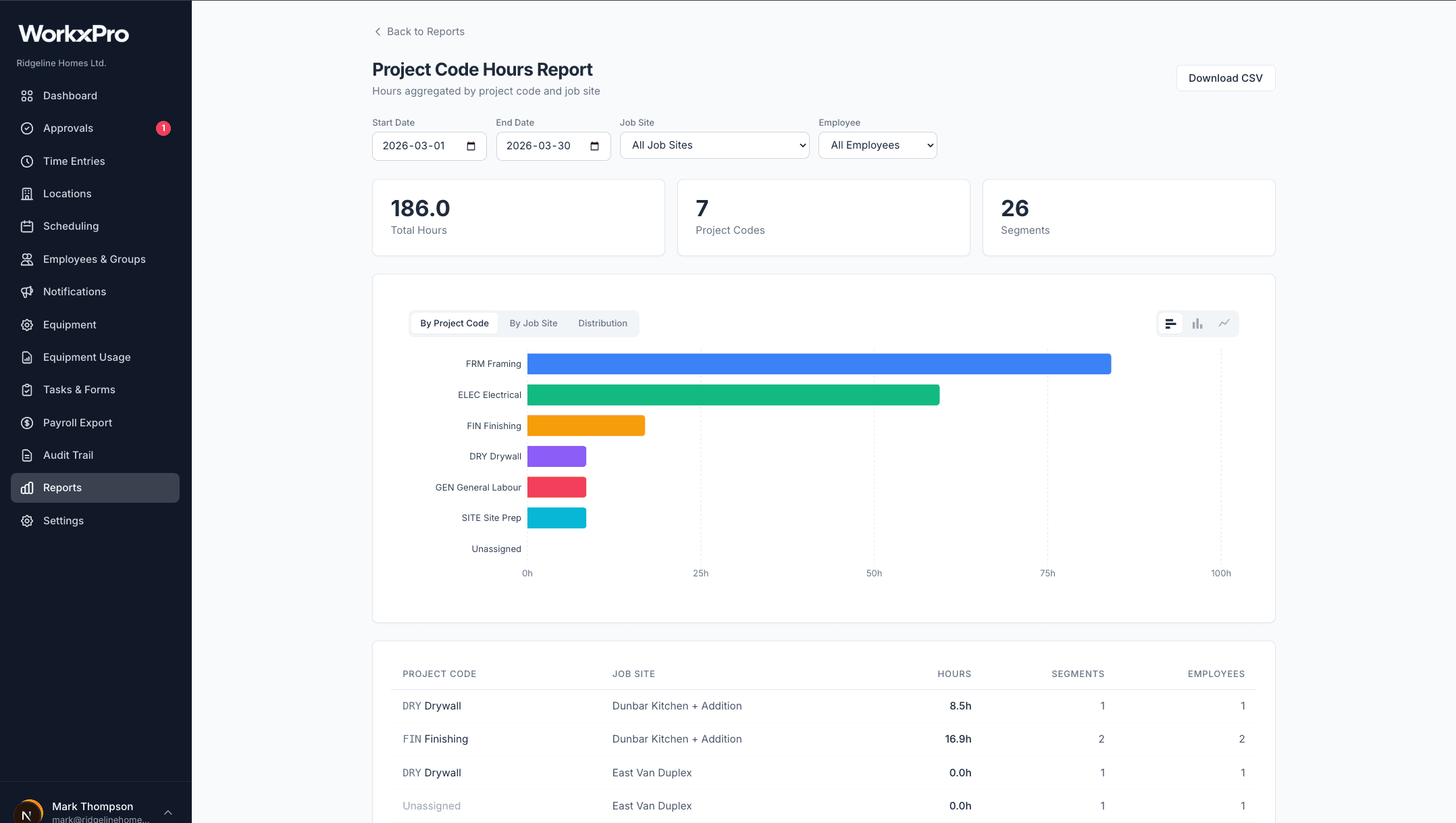
By the time hours reach payroll, they've been GPS-verified at clock-in, coded to the right project and job site by the worker, and approved by a supervisor. The cost code report shows you exactly where every hour went — by project, by site, by employee. Export as CSV or push directly to Payworks.
Connects to your payroll system
One-click push to your payroll system. CSV export available for any provider.
Payworks
ADP
QuickBooks
Export approved timesheets as CSV and import them into any payroll system.
Cut payroll prep from hours to minutes
14-day free trial. No credit card required.
See how WorkxPro fits the way you work.
Construction Companies
Track hours across job sites and cost codes
Learn more →
Cleaning Companies
GPS-verified hours at every client building
Learn more →
Field Service Businesses
Quotes, scheduling, and invoicing in one app
Learn more →
Foremen & Supervisors
Approve hours and watch crews from your phone
Learn more →
Payroll Admins
Clean digital timesheets straight to payroll
Learn more →