
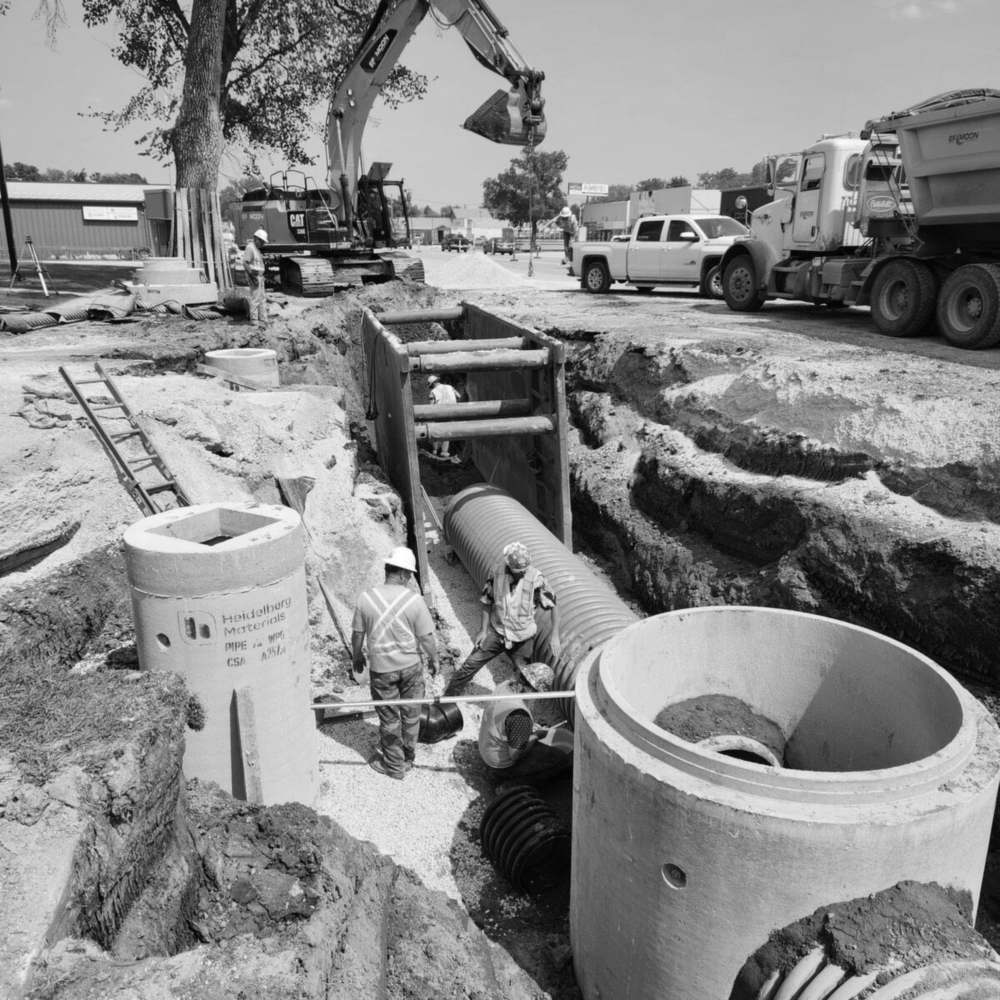
Everything your office needs. Nothing it doesn't.
See who's on site, approve hours before they hit payroll, and know exactly which projects are eating your margin. One dashboard, no spreadsheets.
Real-time crew visibility
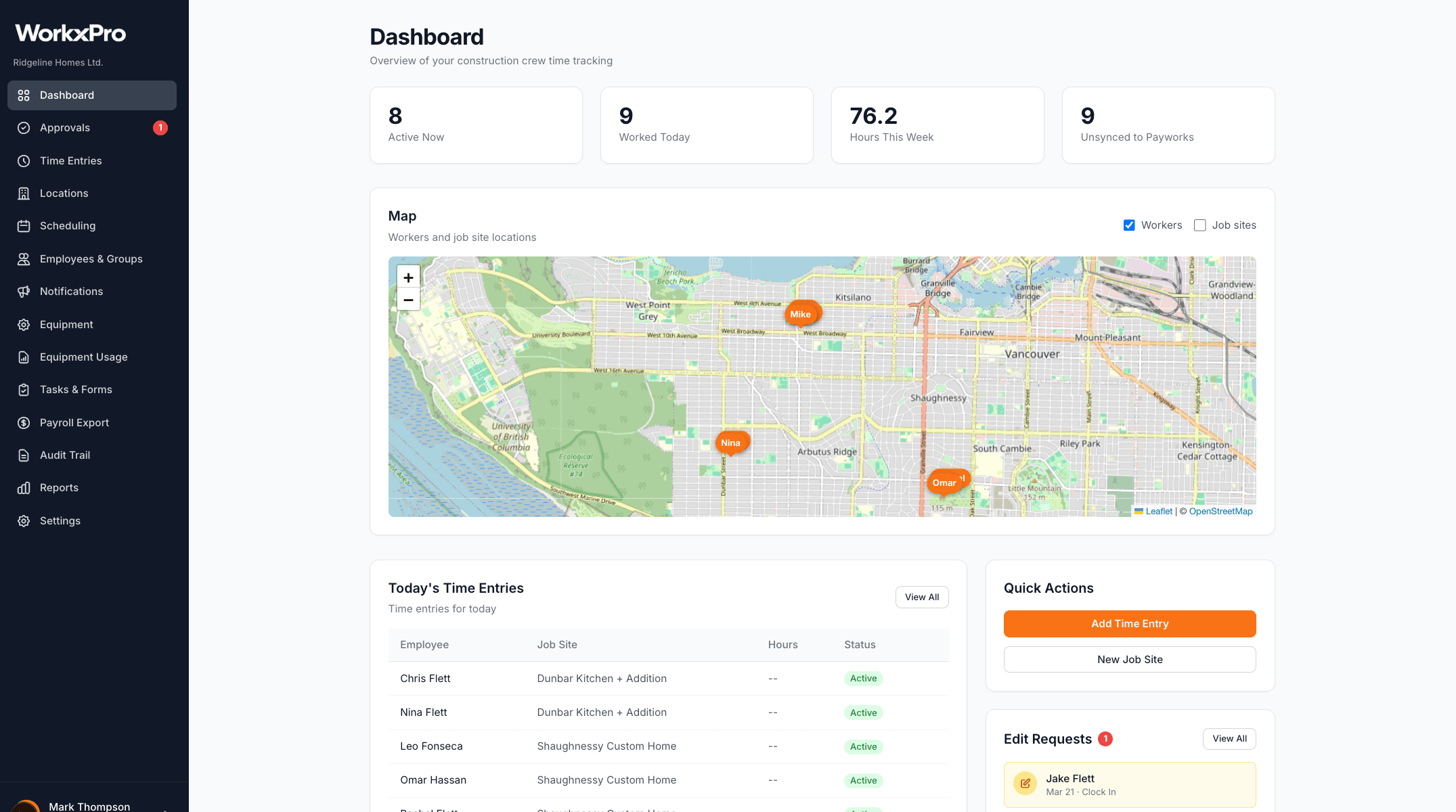
See who's clocked in, at which site, right now. No phone calls, no guesswork. The dashboard shows active crews, today's clock-in locations on a map, and time entries as they come in.
When a worker clocks in from the field, you see it immediately — their job site, start time, and GPS-verified location. Know where your money is going before Friday.
Every hour reviewed before it hits payroll
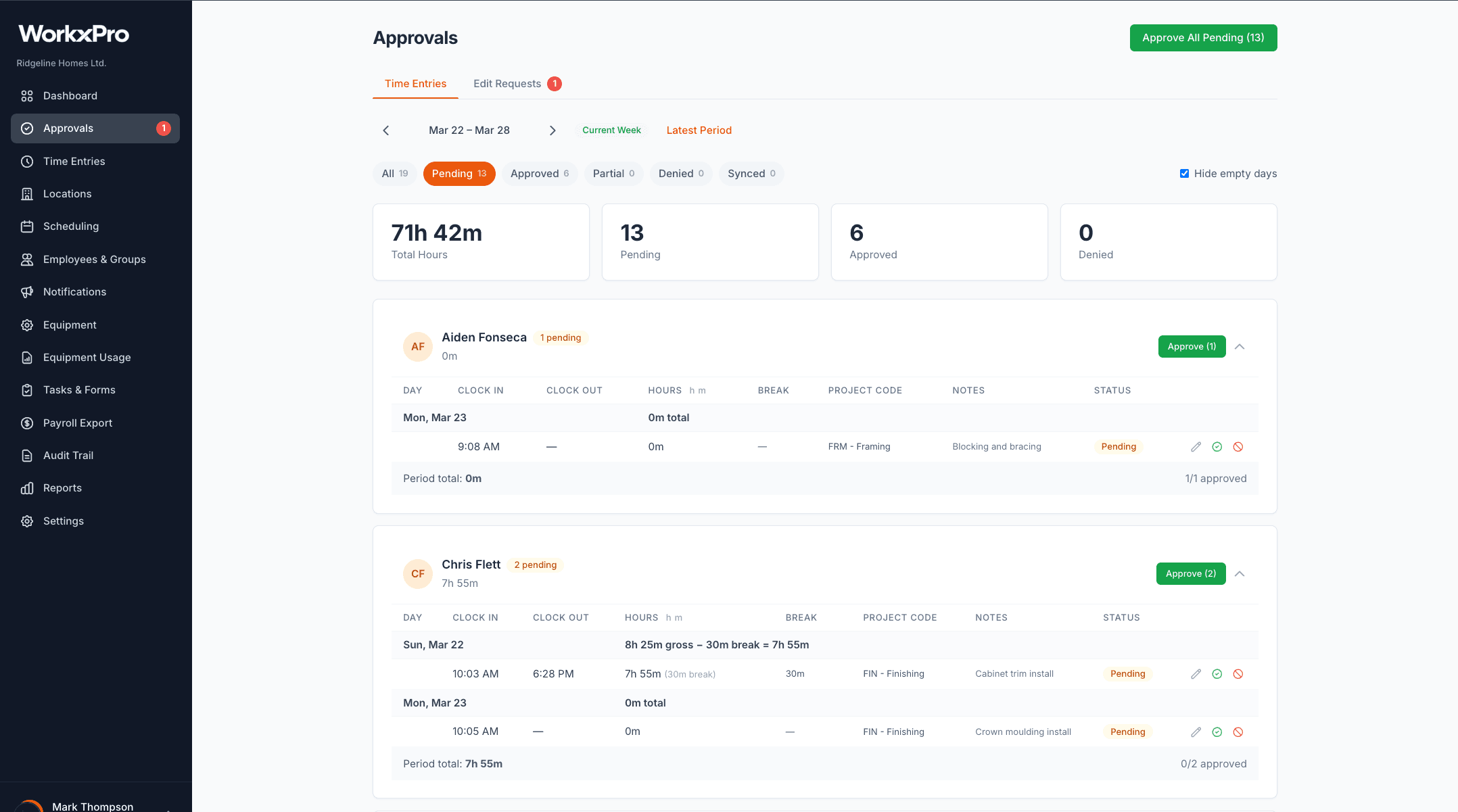
Review time entries by employee, by week. Approve in bulk or deny individual entries with a reason the worker can see. Handle edit requests from the field without a single phone call.
No more unreviewed hours slipping through to payroll. Every entry gets a human set of eyes before it counts.
Know which projects are profitable
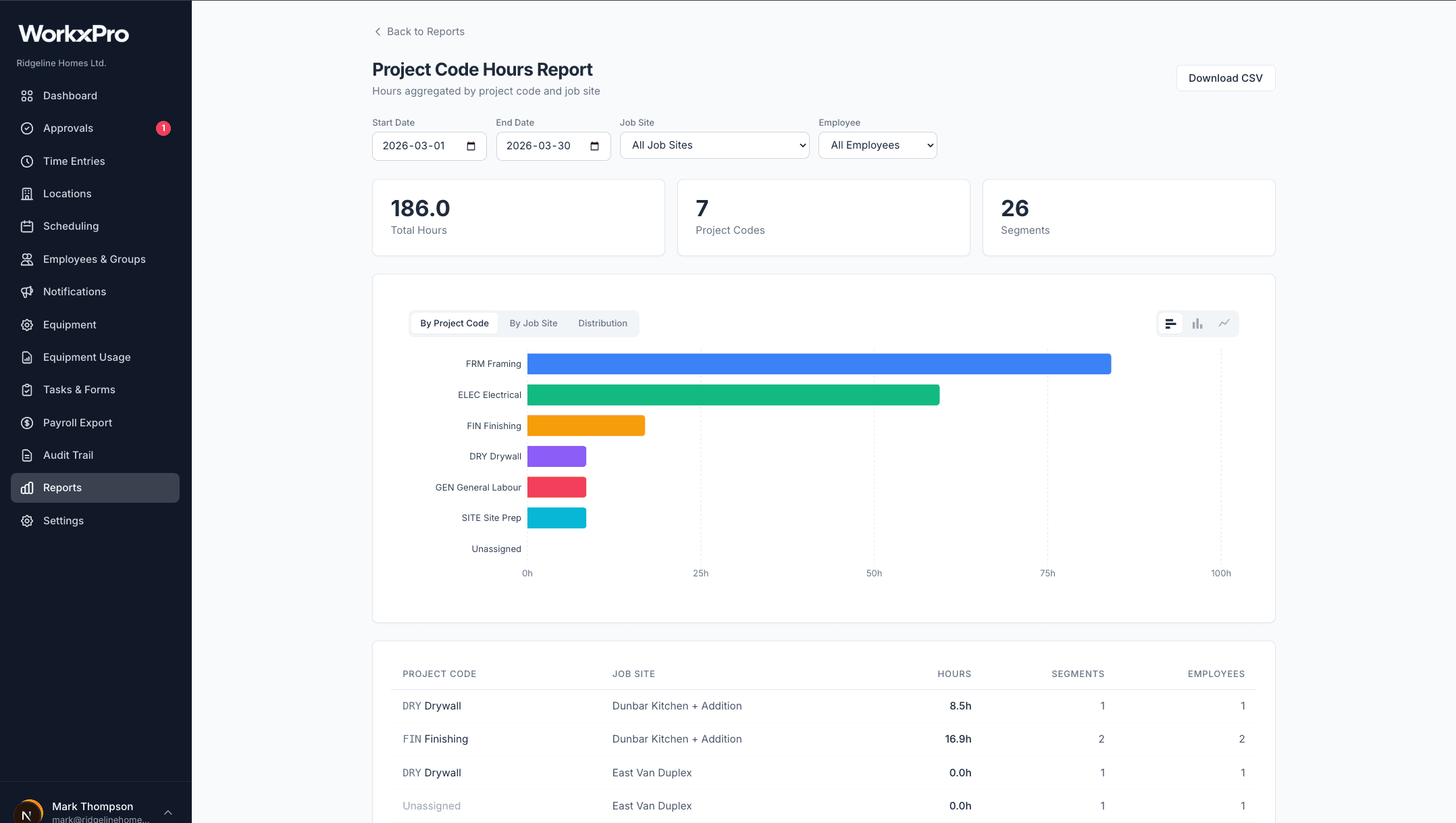
Hours broken down by project code, cost code, job site, and employee. See exactly where labor costs are landing — not at the end of the project when it's too late, but while you can still do something about it.
Export to CSV anytime. Filter by date range, job site, or employee. The data is always there when you need it.
Approved hours push straight to Payworks
No re-keying. No spreadsheet imports. Once hours are approved, push them directly to Payworks as pending timesheets. Your payroll coordinator reviews and runs payroll — with data that's already been verified.
Don't see your payroll provider? Let us know — we're adding new integrations all the time. CSV export is always available.
Build the week in minutes
Drag-and-drop scheduling by job site or employee. Create recurring shifts, save templates for common crew configurations, and publish when you're ready. Workers see their schedule instantly on the app.
When someone calls in sick, reassign their shifts in seconds. No more phone trees. No more group texts. Everyone sees the updated schedule the moment you publish it.
See the portal in action
Book a 15-minute demo. We'll walk through exactly how the admin portal works for your crew size and workflow.
Free 14-day trial included. No credit card needed.
See how WorkxPro fits the way you work.
Construction Companies
Track hours across job sites and cost codes
Learn more →
Cleaning Companies
GPS-verified hours at every client building
Learn more →
Field Service Businesses
Quotes, scheduling, and invoicing in one app
Learn more →
Foremen & Supervisors
Approve hours and watch crews from your phone
Learn more →
Payroll Admins
Clean digital timesheets straight to payroll
Learn more →