

Track every hour. Cost every job. Pay your crew in minutes.
WorkxPro turns the time clock into a profit tool. Your crew taps to clock in on site, every hour lands on the right cost code, and approved time pushes straight to payroll.


You can't manage what you can't see. And right now, you can't see your hours.
Most contractors run their whole labor cost on memory, paper, and a Friday spreadsheet. Here's what that actually costs you.
The Friday payroll scramble
Timesheets trickle in late, half-legible, filled out from memory. Someone in the office burns hours re-keying them. One wrong digit and a worker gets the wrong check, and stops trusting you.
You can't tell which job ate the margin
By the time the report comes in, the job's already over budget and the hours are a guess. Cost codes got picked at random or left blank, so you can't trace where the money went, or bid the next one any smarter.
Is the crew actually on site?
You pay for hours nobody can verify. Buddy punching, rounded-up start times, the guy who left at 2 but logged 4:30. It adds up to thousands a month you never see.
Paper, texts, and double entry
Hours live on paper, schedules live in group texts, job costs live in a spreadsheet, and none of it talks to each other. Every number gets typed twice, and every hand-off hides an error.
From the field to the paycheck, on one system.
Four things that turn time tracking from a payroll chore into a tool that protects your margin.
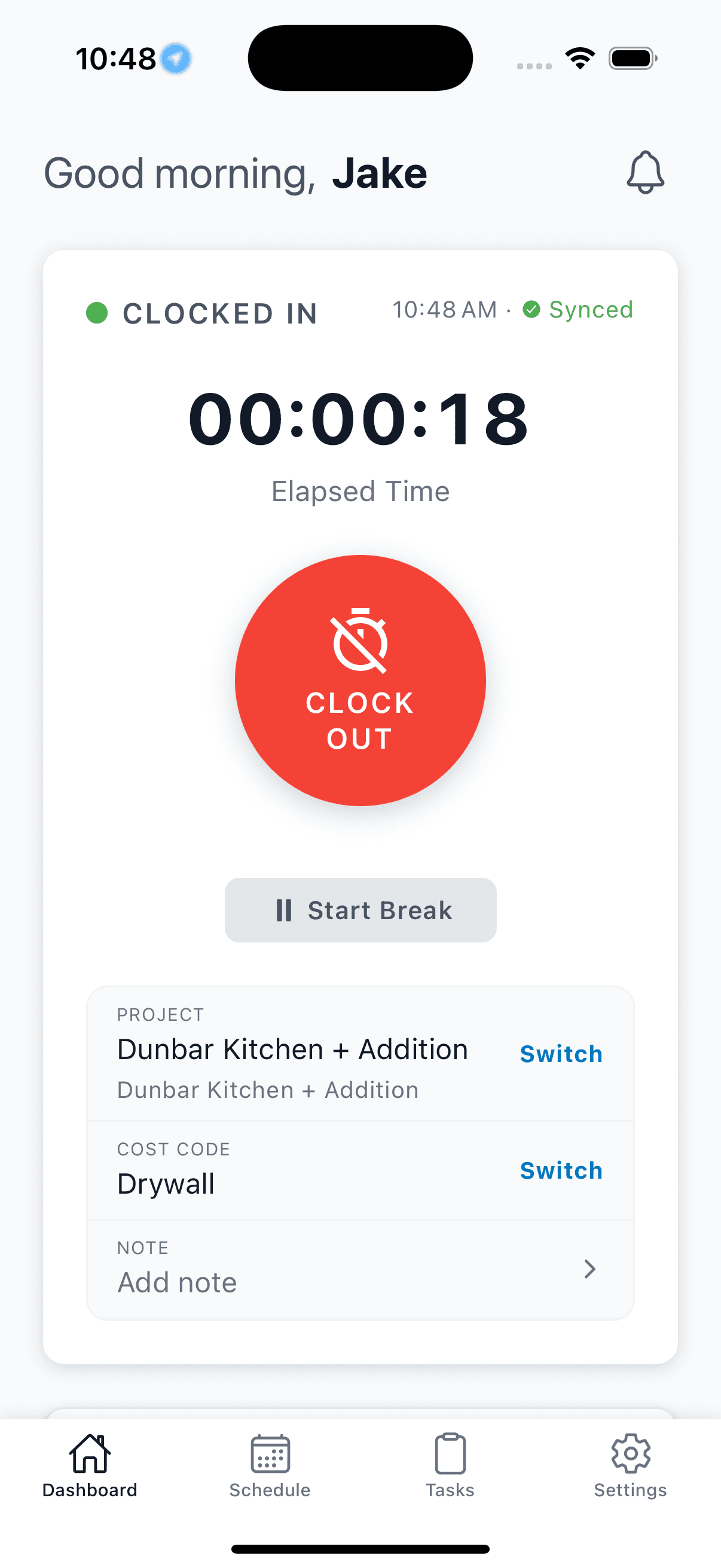
A clock-in your crew will actually use
- Two taps to clock in. Works with gloves on, works offline on sites with no signal.
- Everything saves on the phone and syncs the second service comes back. No dead-zone lost punches.
- An iOS lock-screen timer keeps the shift visible, and a lead can clock in the whole linked crew at once.
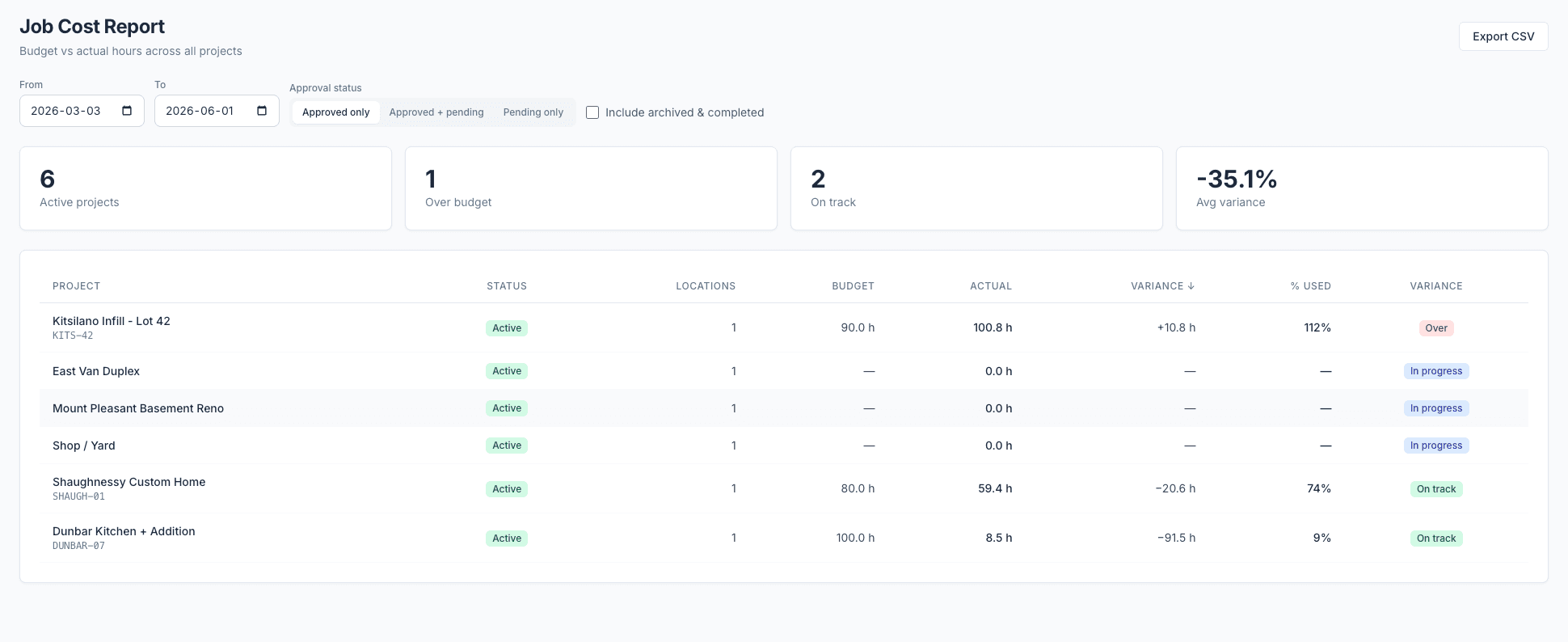
Know exactly where your margin goes
- Every clock-in captures the job and cost code on the spot, not guessed by the office days later.
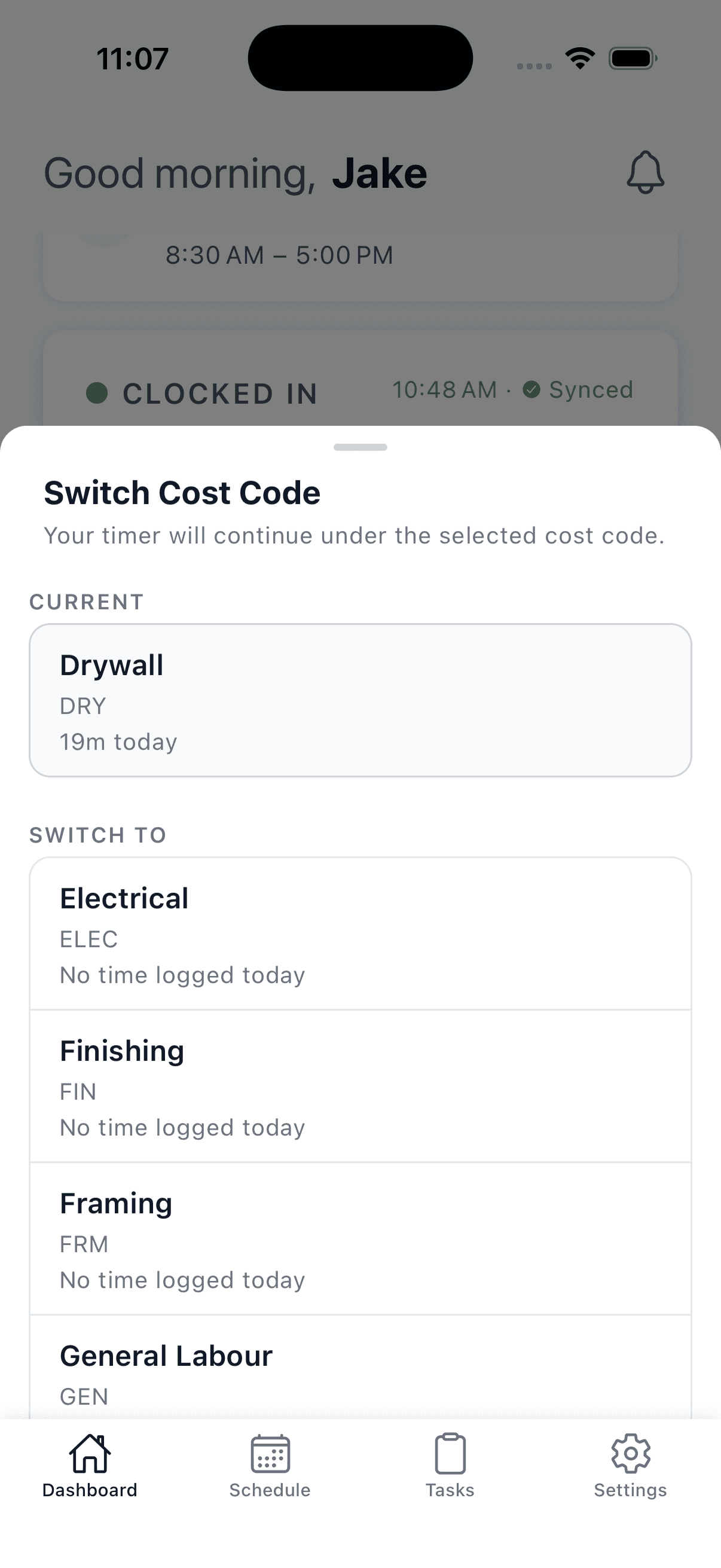
- Split one shift across multiple sites and codes with segments, so a half-day on two jobs bills right.
- The Job Cost report shows budget vs. actual, variance, and burn rate per job, while you can still act on it.
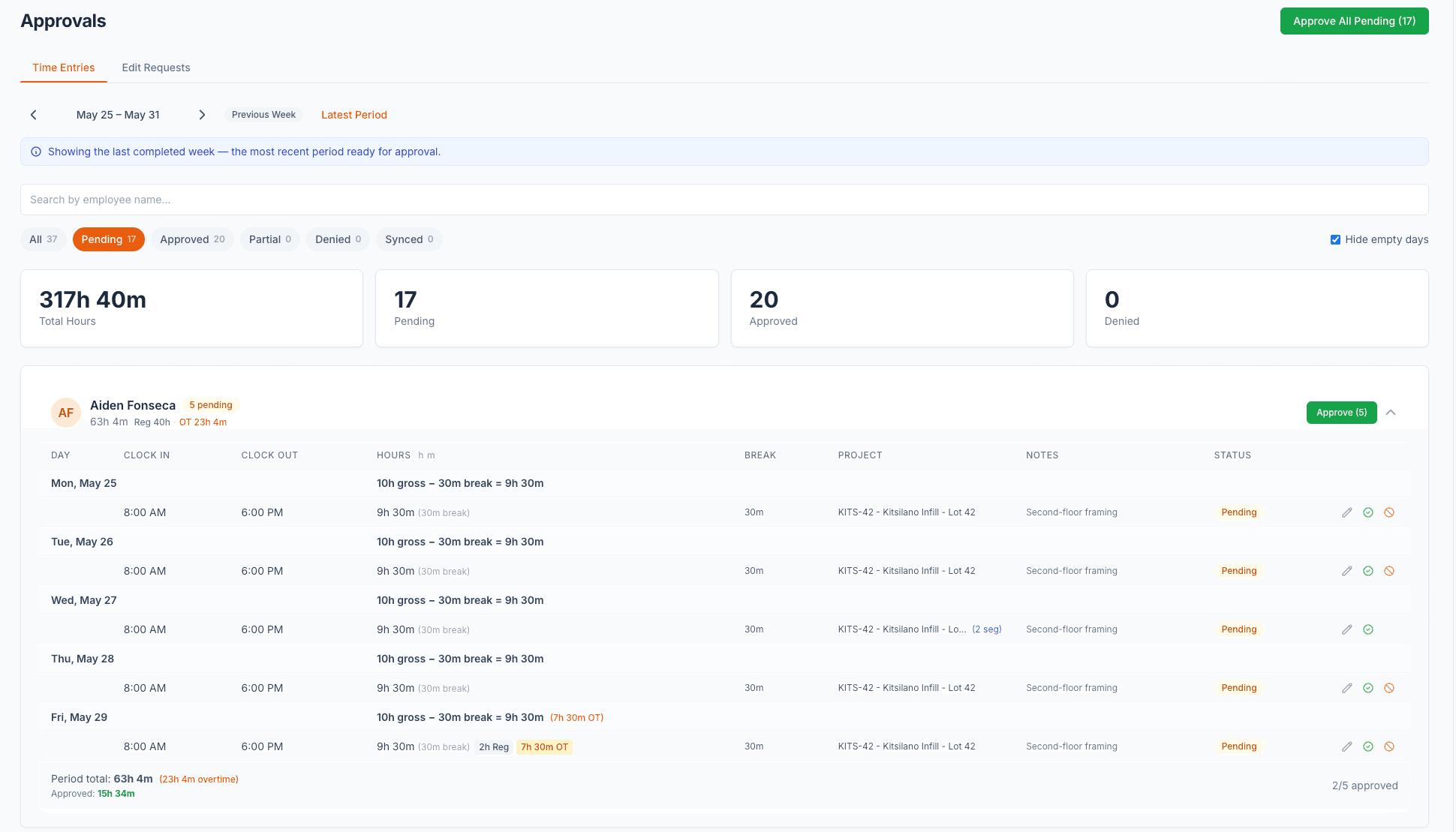
Payroll day, done in minutes
- Approve a whole week on one screen, with weekly and daily overtime, auto-break, and approve-and-round already calculated.
- Pay-period-aware, so the totals match how you actually run payroll.
- Push approved timesheets straight to Payworks in one click. No spreadsheets, no re-keying.
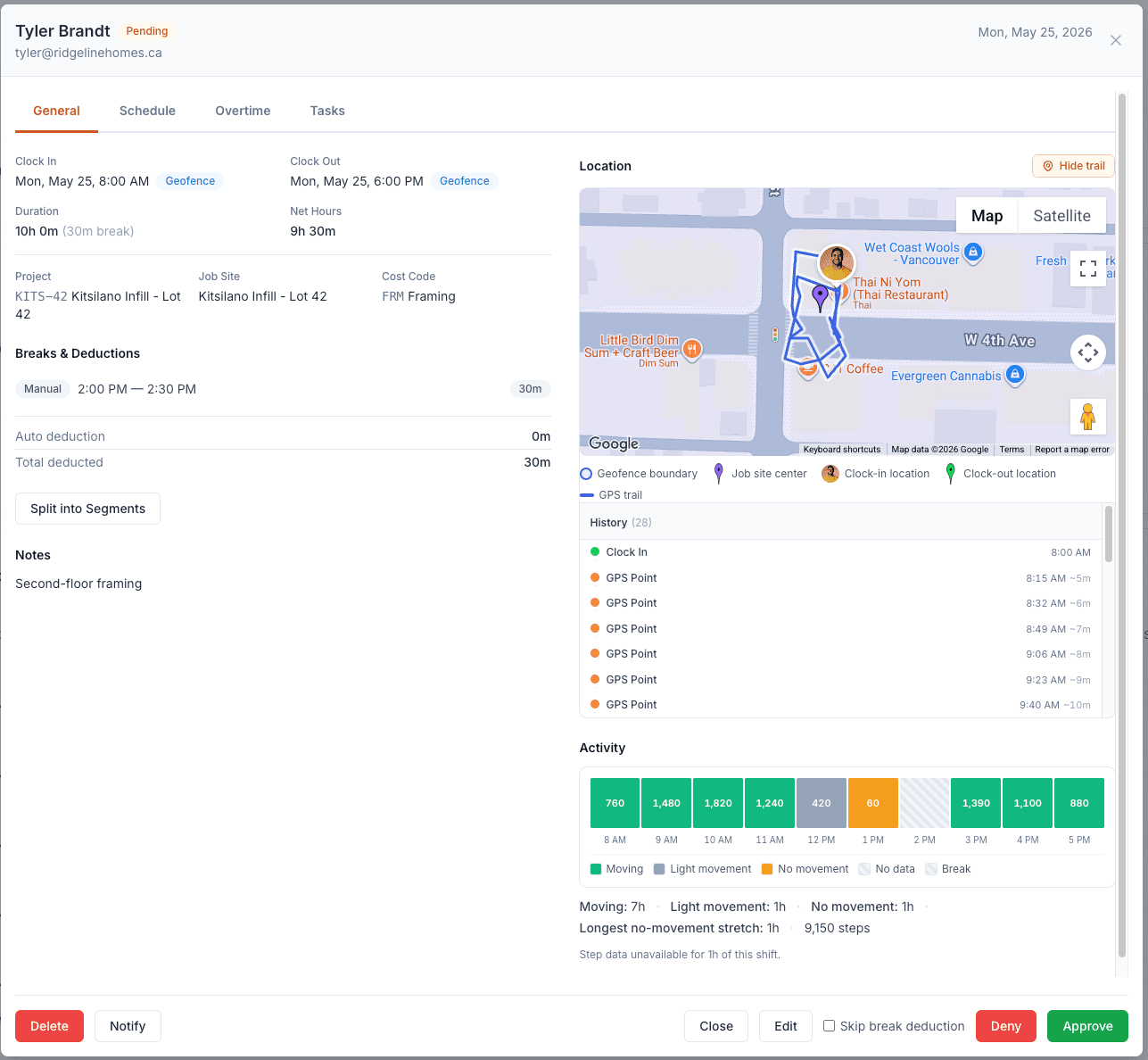
Accountability without the surveillance
- GPS-verified clock-ins, so the hours you pay are the hours that were worked. No buddy punching.
- Geofence reminders nudge a worker to clock in, but the app never auto-clocks.
- An optional location trail and motion summary back the record up, without watching their whole day.
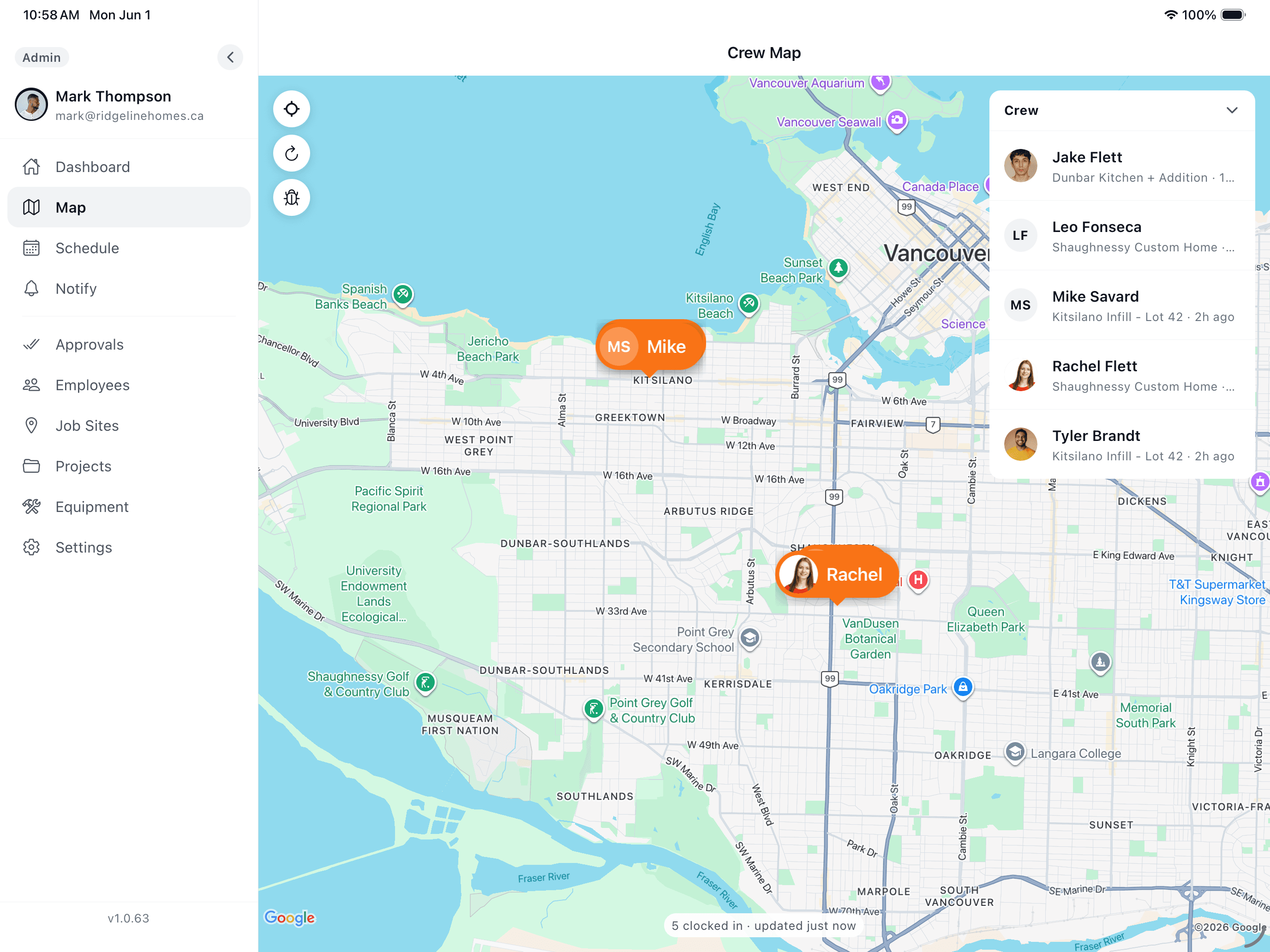
iPhone, iPad, and the web.
The same data whether your crew is on a ladder, your foreman is in the truck, or you are at the office desk.
Set up this afternoon. Run it from your phone.
No consultant, no rollout project. Four steps from sign-up to payroll.
Add your sites and crew
Drop in your job sites with cost codes and a geofence radius. Invite your crew by phone or email, and they’re clocked in on day one.
Crew clocks in on site
Workers tap to clock in, pick the job and cost code, and GPS confirms they’re there. Breaks and segments track as the day moves across sites.
Approve the week
Open one screen, see the whole pay period with OT and breaks already calculated, fix what needs fixing, and approve. Deny with a reason if something’s off.
Push to payroll
Send approved, verified hours to Payworks in one click. Job costs are already tagged, so your reports are right before payroll even runs.
Built for how construction actually works.
Time tracking and job costing are the foundation. These are the parts that keep the field and the office on the same page.
Works offline, everywhere
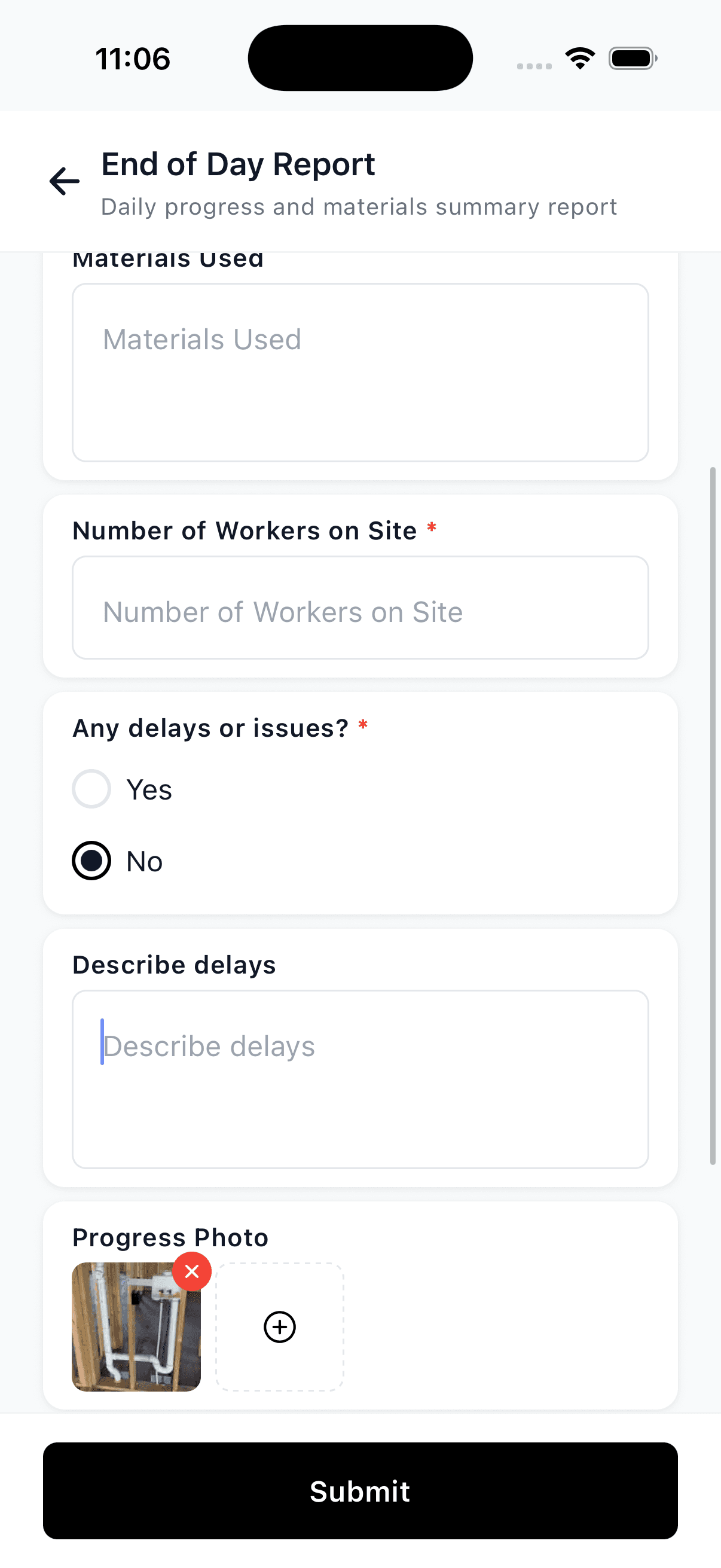
Basements, tunnels, rural sites, dead zones. Every clock-in, photo, and note saves on the phone and syncs the moment service returns. Nothing is lost.
Live Activity timer
On iPhone, the running shift shows right on the lock screen. Workers see they’re on the clock without opening the app. Fewer missed punches.
Segments for split shifts
One shift, two or three jobs. Split it across sites and cost codes in a tap so every hour lands on the project that actually used it.
Equipment hours logged
Log machine and equipment hours against the job, with photos. Know what ran where, so equipment cost shows up in your job costing too.
Geofence reminders
When a worker reaches a site, the app reminds them to clock in. It never clocks them in for you. The punch stays honest and on them.
Approvals with an audit trail
Every edit, approval, and denial is logged with who and when. When a worker questions their hours, you have a logged record of who changed what and when, not a he-said standoff.
The case for getting your hours off paper.
What contractors lose to inaccurate time tracking, and what changes when every hour is verified and costed.
Approve a full pay period on one screen and push to Payworks in a click. The hours spent chasing and re-keying timesheets disappear.
Illegible handwriting, wrong dates, missing cost codes: a widely cited figure for how often paper timesheets get corrected. GPS-verified entries take that to near zero.
Buddy punching and rounded-up hours quietly bleed labor budgets. At those rates, even a mid-size crew can lose thousands a year. Verified clock-ins close the gap.
Industry figures cited by the American Payroll Association and widely reported payroll studies; your results vary by crew size and current process.
Priced per user. No base fee.
Pay for the crew you have, nothing more. Pick the tier that fits and switch anytime.
Starter
$8/user/mo
GPS time tracking, job sites, geofencing, and equipment logs.
Professional
Most popular$14/user/mo
Everything in Starter plus scheduling, cost codes, segments, smart forms, and Payworks export.
Enterprise
Custom
For larger operations. Dedicated support and custom feature access.
Questions contractors ask first.
My guys won't use another app. How is this different?
It’s two taps to clock in, it works with gloves on, and it works offline on sites with no signal, exactly where the last apps failed. The crew has one screen: pick the job, clock in. Most learn it in a single shift and new hires pick it up day one. A lead can even clock in a linked crew from one phone.
We've tried time tracking before and it didn't stick. Why now?
Most time clocks are built for desks and break the minute you lose signal. WorkxPro is built for the field: everything saves on the phone and syncs when service returns, so a dead zone never loses a punch. That offline reliability is the reason crews stop abandoning it.
How does this actually help my job costing, not just payroll?
Every hour is tagged to a job and cost code at clock-in, captured by the worker on site, not guessed by the office later. Split shifts across jobs with segments. Then the Job Cost report shows budget vs. actual, variance, and burn rate per job, so you catch an overrun while you can still fix it and bid the next one with real numbers.
Is the GPS going to feel like I'm spying on my crew?
No, and that’s deliberate. GPS confirms the clock-in happened on site, so the hours you pay are the hours worked. Geofence reminders nudge a worker to clock in when they arrive, but the app never clocks anyone in or out automatically and doesn’t track them between punches.
What does it cost, and what's the catch?
True per-user pricing with no base fee and no contract. You pay for the crew you have, nothing more. Start with a 14-day free trial on full features, no credit card. Unlike tools that charge a $50 monthly base fee before your first worker, the first inaccurate timesheet you catch tends to cover the bill.
Get your crew’s hours off paper this afternoon.
Add your sites, invite your crew, and clock in the first shift today. Track it, cost it, and push payroll in minutes. The 14 days are on us.
No credit card required.
See how WorkxPro fits the way you work.
Cleaning Companies
GPS-verified hours at every client building
Learn more →
Field Service Businesses
Quotes, scheduling, and invoicing in one app
Learn more →
Foremen & Supervisors
Approve hours and watch crews from your phone
Learn more →
Payroll Admins
Clean digital timesheets straight to payroll
Learn more →