
Digital Forms for Construction: Ditch the Clipboard
Construction sites run on forms, but paper clipboards get lost, rained on, and ignored. Here's how digital forms on your crew's phones fix that.
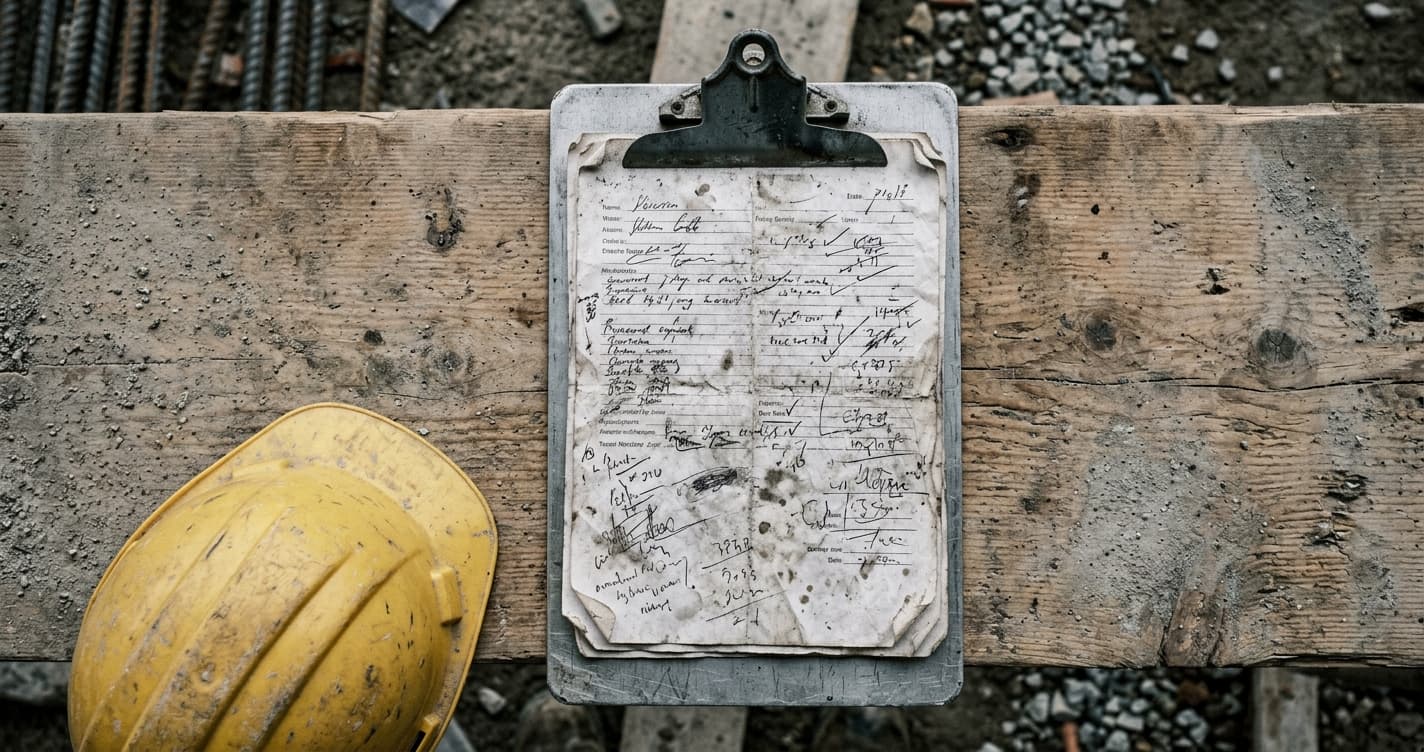
Every construction site runs on forms. Safety checklists before the crew starts work. Daily reports at the end of the shift. Equipment inspections. Incident reports. Toolbox talk sign-offs. Quality checks on concrete pours and backfill compaction. Forms for the GC. Forms for the inspector. Forms for your own records.
And on most sites, all of these live on paper clipboards.
The clipboard sits on the dash of someone's truck until the end of the week, when it makes it back to the office. Sometimes it doesn't make it back at all. Sometimes it's been rained on. Sometimes it's legible. Usually it's not.
The person in the office who receives these forms has a second job they didn't sign up for: deciphering handwriting, chasing down missing signatures, and manually typing everything into a spreadsheet. Every week. For every site. For every form.
This is 2026. There's a better way to do this.
Paper forms are a liability you don't think about
Here's a scenario that plays out more often than anyone wants to admit.
An incident happens on site. Nothing catastrophic, but serious enough that someone asks to see the safety inspection from that morning. The foreman says he did the inspection. The form? It's in his truck. Or maybe the site trailer. Or maybe it got thrown out with the lunch trash.
When you need to prove that a safety inspection happened on a specific date, at a specific time, signed by a specific person, "I'm pretty sure we did it" is not an answer that satisfies an inspector.
Paper forms don't just get lost. They get damaged. They arrive late. They get filled out after the fact (everyone knows this happens). And when you need them most, during an audit, an insurance claim, or an incident investigation, they're either missing or incomplete.
The double-entry problem
Even when paper forms make it to the office in good shape, someone still has to process them.
That means reading the handwriting. Not everyone on a construction crew has neat handwriting, especially when they're filling out a form on the hood of a truck in January. The person in the office squints at the form, makes their best guess, and types the data into whatever system the company uses for record-keeping.
That's double work. The field worker filled it out once. Now someone in the office is doing it again. For every form, from every site, every day.
And if the office person misreads something on a safety form, that's not just an inconvenience. A wrong date, a missed checkbox, or a misread measurement can create real problems during a compliance review. You end up with a record that's worse than no record at all because it gives false confidence.
Build any form in minutes, no coding required
WorkxPro includes a drag-and-drop form builder in the admin portal. You pick the fields you need, text inputs, checkboxes, dropdowns, date pickers, photo capture, signature fields, and arrange them into the form you want.
Building a daily safety inspection checklist takes about five minutes. A toolbox talk sign-off, maybe three. You're not learning a new software system. You're dragging boxes around and typing labels. If you can use a word processor, you can build a form.
The portal shows a live mobile preview next to the builder so you can see exactly what the form looks like on a phone screen. When you're happy with it, assign it to specific workers, crews, or job sites. It shows up in their app immediately.
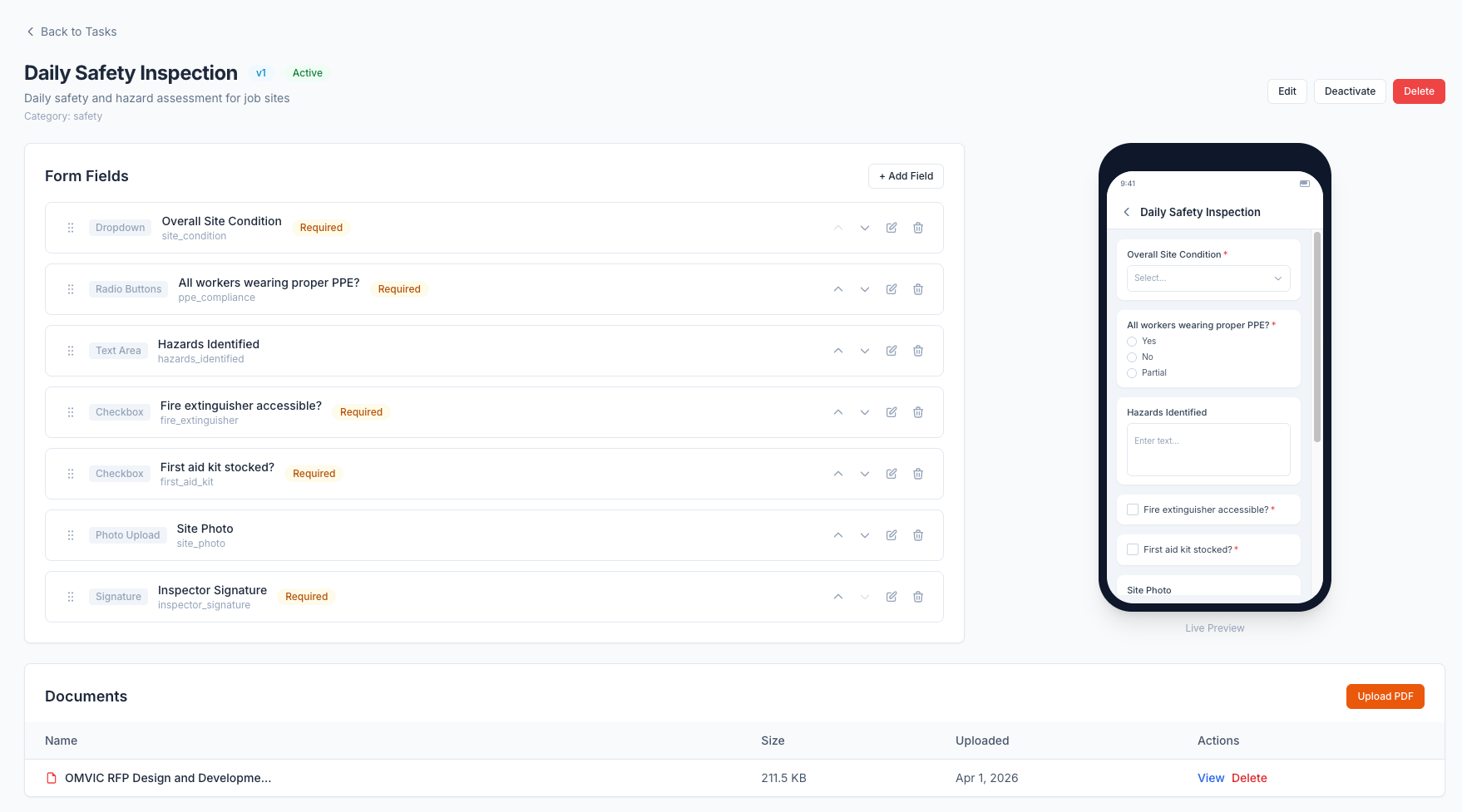
No printing. No clipboards. No stacks of blank forms in the site trailer. You change the form once in the portal and every worker sees the updated version next time they open the app.
Photos and signatures, right in the form
This is where digital forms pull ahead of paper in a way that actually matters for compliance.
A worker is doing a morning safety walk. They spot a tripping hazard near the scaffold base. On a paper form, they'd write "tripping hazard near scaffolding" and maybe check a box. On a digital form, they take a photo of the hazard directly within the form. The photo is captured with a timestamp and GPS coordinates. There's no ambiguity about what was found, where it was, or when it was documented.
Signature fields work the same way. The worker signs directly on their phone screen. The signature is embedded in the form submission along with the timestamp. When an inspector asks to see proof that every crew member signed the toolbox talk, you pull it up in 30 seconds. Every submission is searchable by form type, date range, job site, or worker. No filing cabinets. No lost binders.
Workers fill them out on their phones, even offline
The forms live in the same WorkxPro mobile app that crews already use to clock in, track breaks, and log equipment. There's no separate forms app to install. No new login. No training someone on a different system.
A worker opens the app, taps on their assigned form, fills it out, attaches photos, signs it, and submits. The whole thing takes a few minutes. It's faster than finding a clipboard and a pen that works.
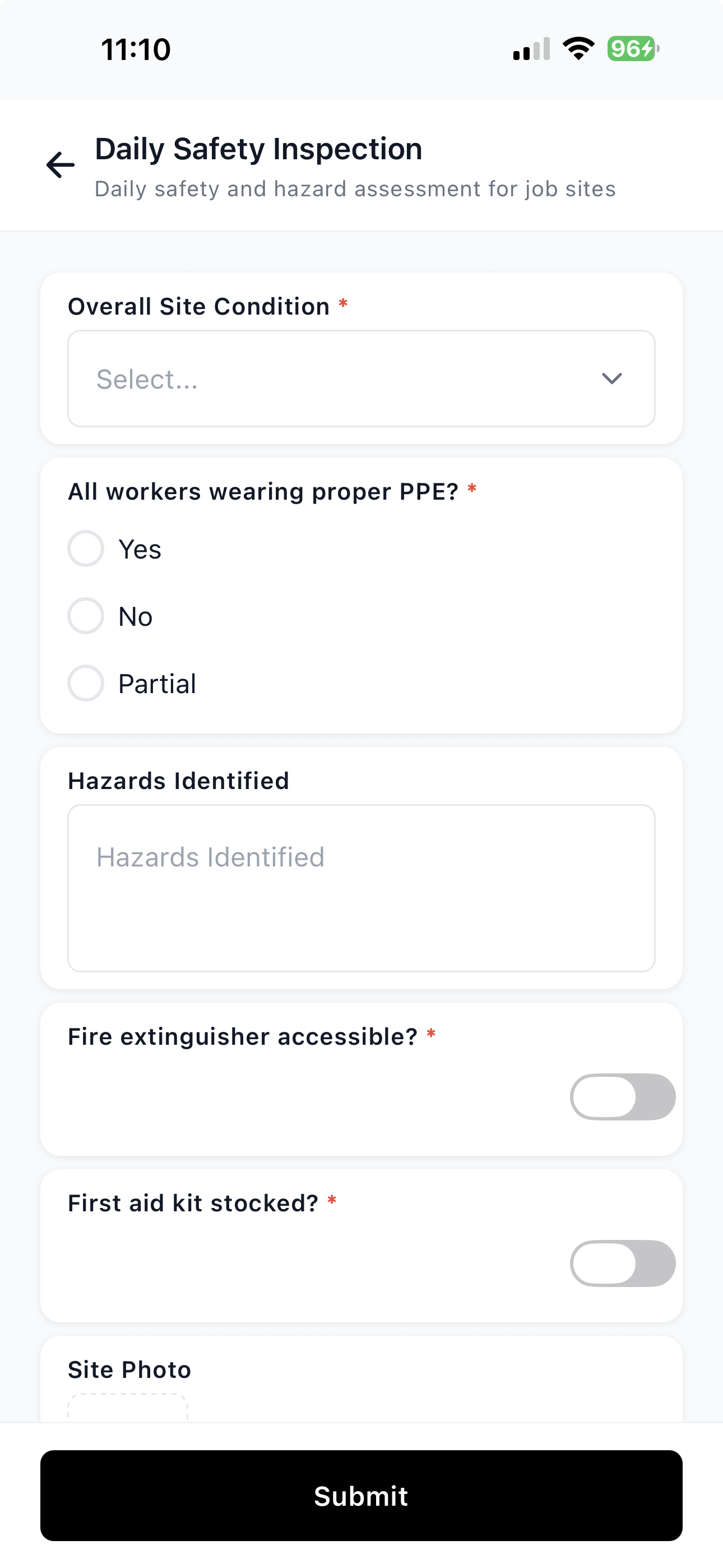
And because WorkxPro is built offline-first, the forms work without cell signal. Your sites have spotty coverage? Most do. The worker fills out the form, and the data syncs to the portal as soon as their phone gets a signal. Nothing is lost.
Everything in one place
Most construction companies that go digital end up with a pile of disconnected tools. One app for time tracking. Another for scheduling. A third for forms. Maybe a fourth for equipment. Each has its own login, its own data, and none of them talk to each other.
In WorkxPro, forms sit alongside time entries, equipment logs, scheduling, and approvals in a single platform. When you look at a job site in the portal, you see the time entries, the equipment usage, and the form submissions all in one view. Your office staff isn't switching between systems to piece together the story. Your field workers aren't juggling multiple apps. And your records are all in one searchable system instead of scattered across three platforms and a filing cabinet.
Compliance gets easier when the records build themselves
The shift from paper to digital forms isn't about being trendy. It's about having records you can actually rely on.
When every form submission is timestamped, GPS-tagged, and stored with photos and signatures, you're not scrambling to find proof during an audit. You're pulling up a search result and showing an inspector exactly when the form was completed, by whom, and what they documented. That's a very different conversation than "let me check the truck."
See it for yourself
WorkxPro is built for construction crews who are tired of the paper shuffle. Time tracking, scheduling, equipment logging, and yes, custom forms with photos and signatures, all in one app your crew actually uses.
Start your free 14-day trial at getworkxpro.com. No credit card required. Build your first form in five minutes and send it to your crew today.