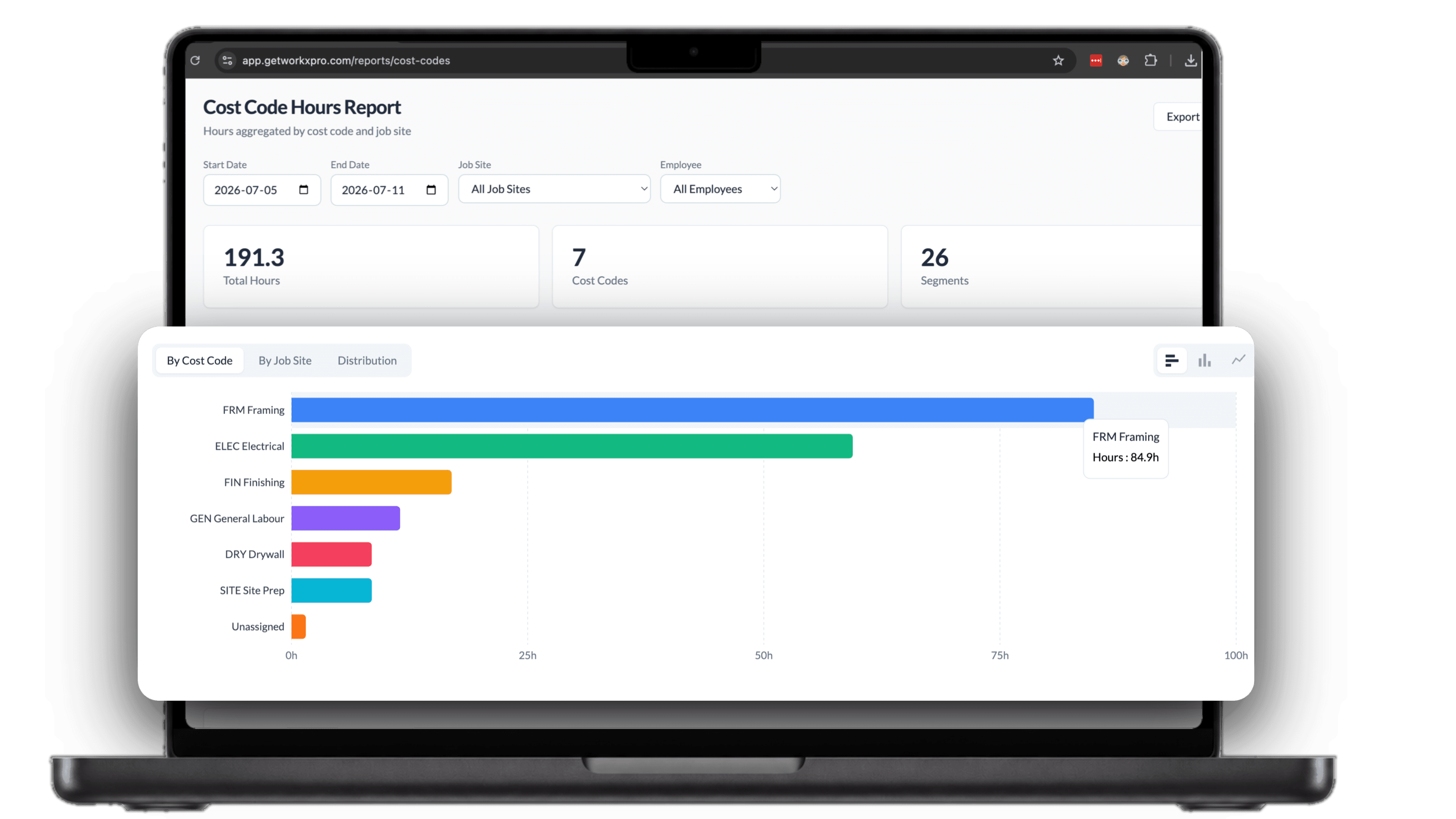

Split one shift across every job it touched.
- Switch job sites or cost codes mid-shift, without clocking out
- Every hour lands on the right job and the right cost code
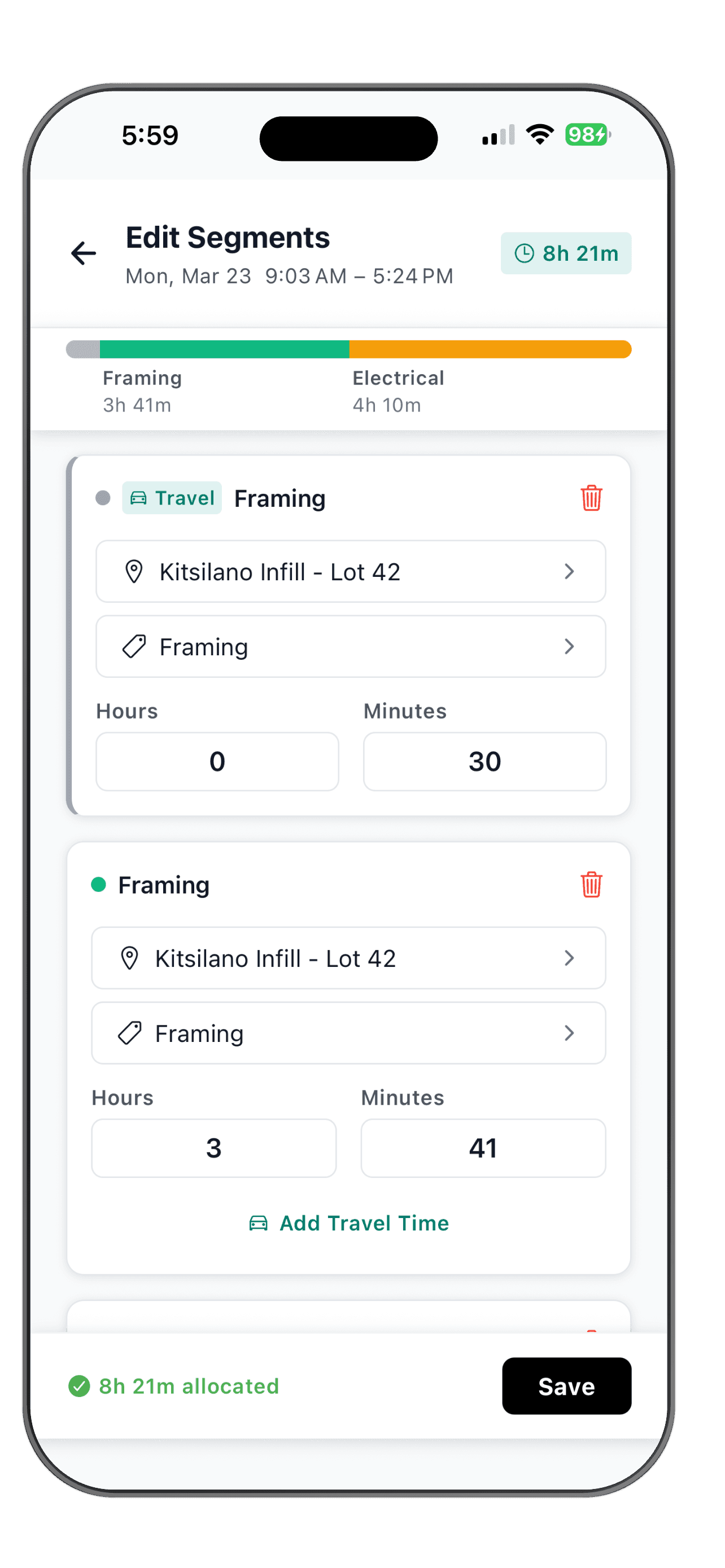
- Segments always add up to the full shift, down to the minute
A day of work rarely stays on one job.
The whole day lands on one job
Your crew hits two sites and three cost codes before lunch, but the timesheet shows eight hours against whatever they clocked into that morning.
Punch out, punch in, repeat
Most time clocks make workers clock out and back in at every move. Nobody remembers to do that halfway up a ladder, so nobody does it at all.
Job costs built on guesses
Someone reconstructs the week on Friday from memory and text messages. Budgets drift, and the job that actually ate the hours never shows it.
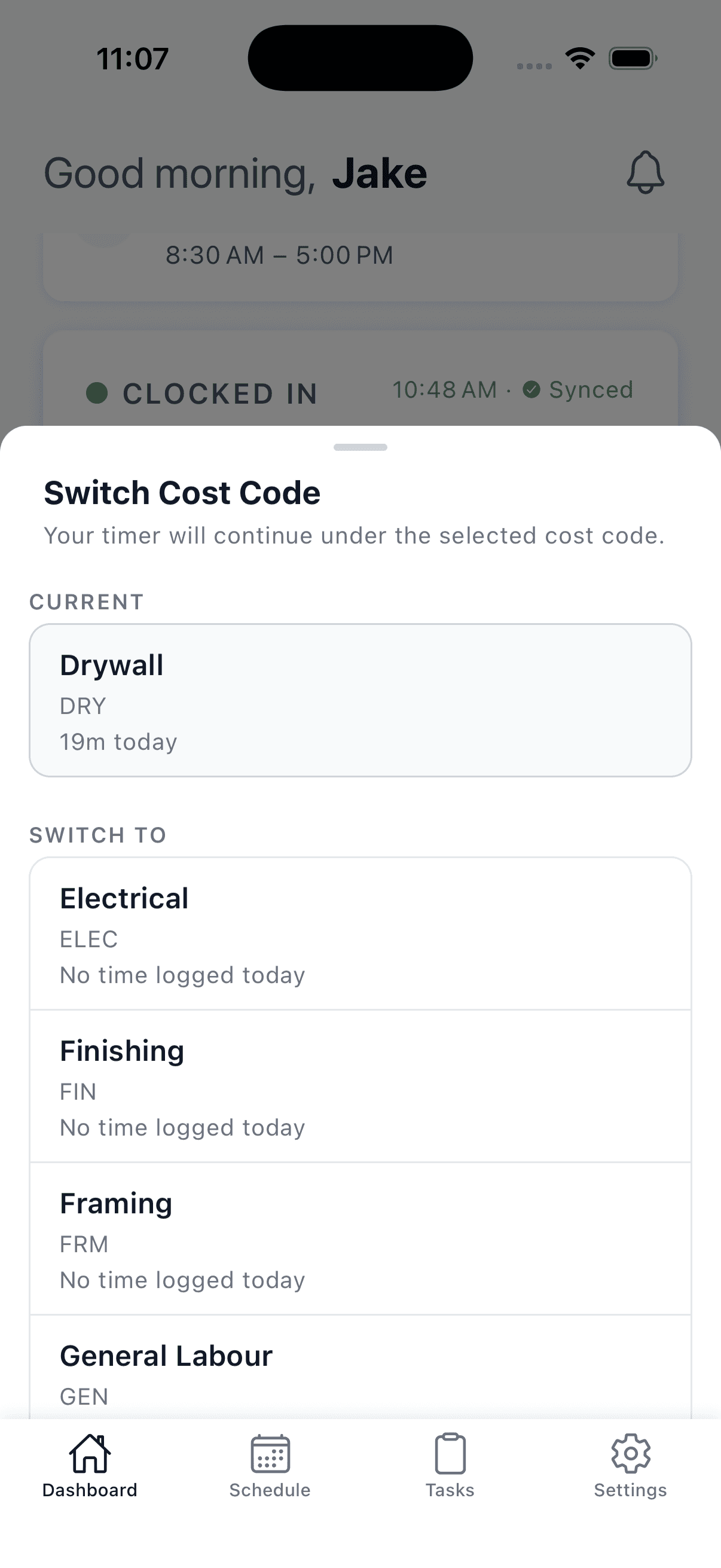
Switch jobs without touching the clock
Moving to the next site or the next trade is one tap. Pick the new cost code and the timer keeps running under it, with a new segment started behind the scenes. Workers see how much time they have logged on each code today, and nobody clocks out at the truck just to switch tasks.
The whole shift, accounted for
Open the day and see it as one bar, split by job and cost code. Adjust hours, move time between segments, and tag travel on its own segment. WorkxPro keeps the segments matched to the shift total, so nothing gets lost and nothing gets counted twice.
Not every hour is paid the same
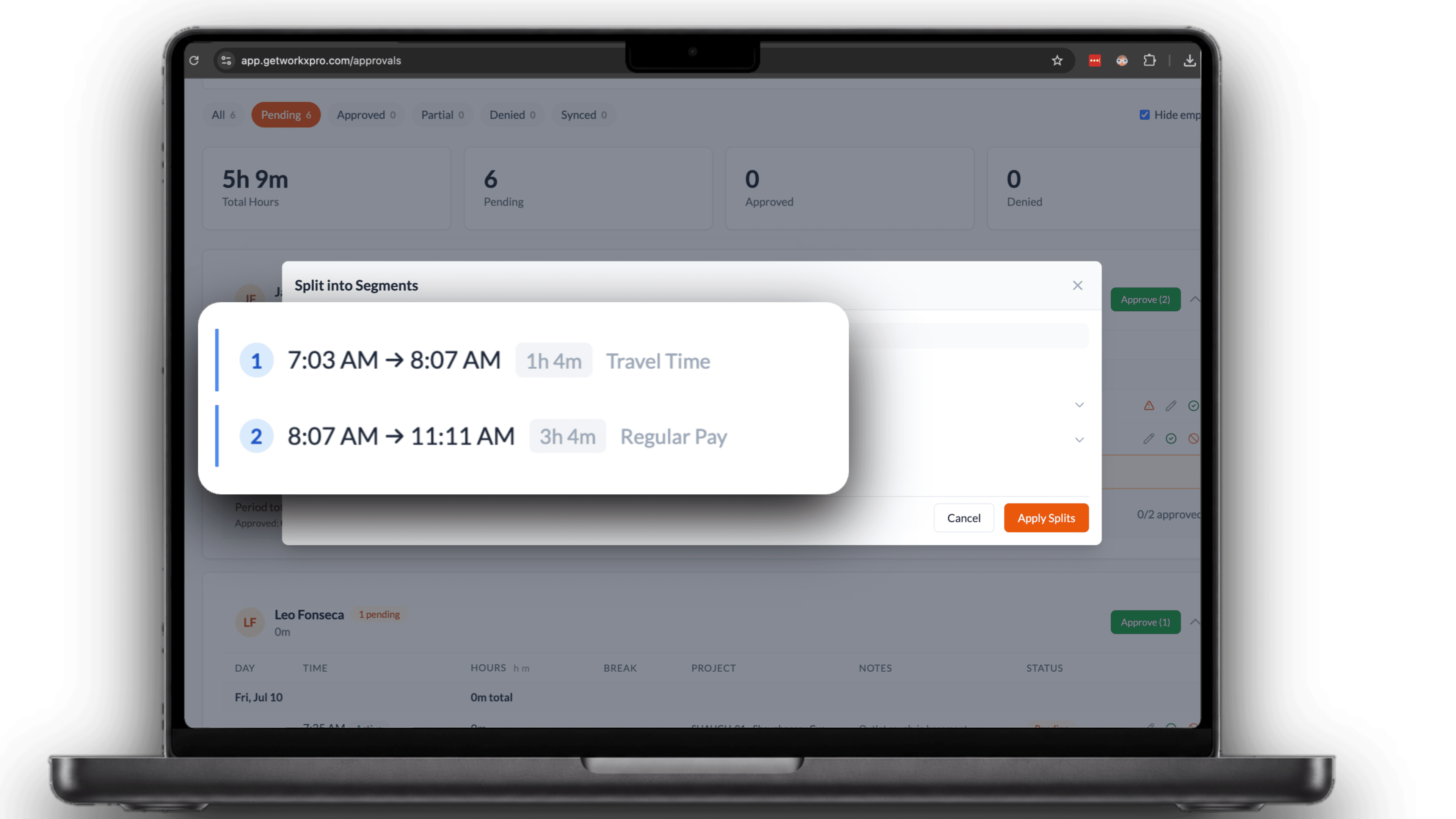
Tag a segment as travel or training and it stays its own line all the way to payroll. Regular, travel, and training each carry their own total, so the right rate lands on the right hours. Approvals show the split, and payroll export carries each type as its own earning code.
Split hours flow straight into job costs
Approvals show each entry with its segments, so managers sign off on the same split the field entered. The job cost report rolls those hours into budget versus actual for every project, and the breakdown carries through to payroll export. One shift in the field, clean numbers on every job.