

Every job, from the first call to the final invoice.
Take the request, send the quote, schedule the crew, and invoice the same day. WorkxPro runs the whole job in one app, with GPS time tracking built in so you know where every tech and every hour went.


Right now, one job lives in six places.
The request is in your call log, the quote in a spreadsheet, the schedule on a whiteboard, the hours in someone's head, and the invoice waiting for Sunday night. WorkxPro puts the whole job in one place.
One record per job, start to finish
The request, the quote, the schedule, the hours, the photos, and the invoice all live on one job. When a client calls, you open the job and the answer is right there.
A calendar the whole company runs on
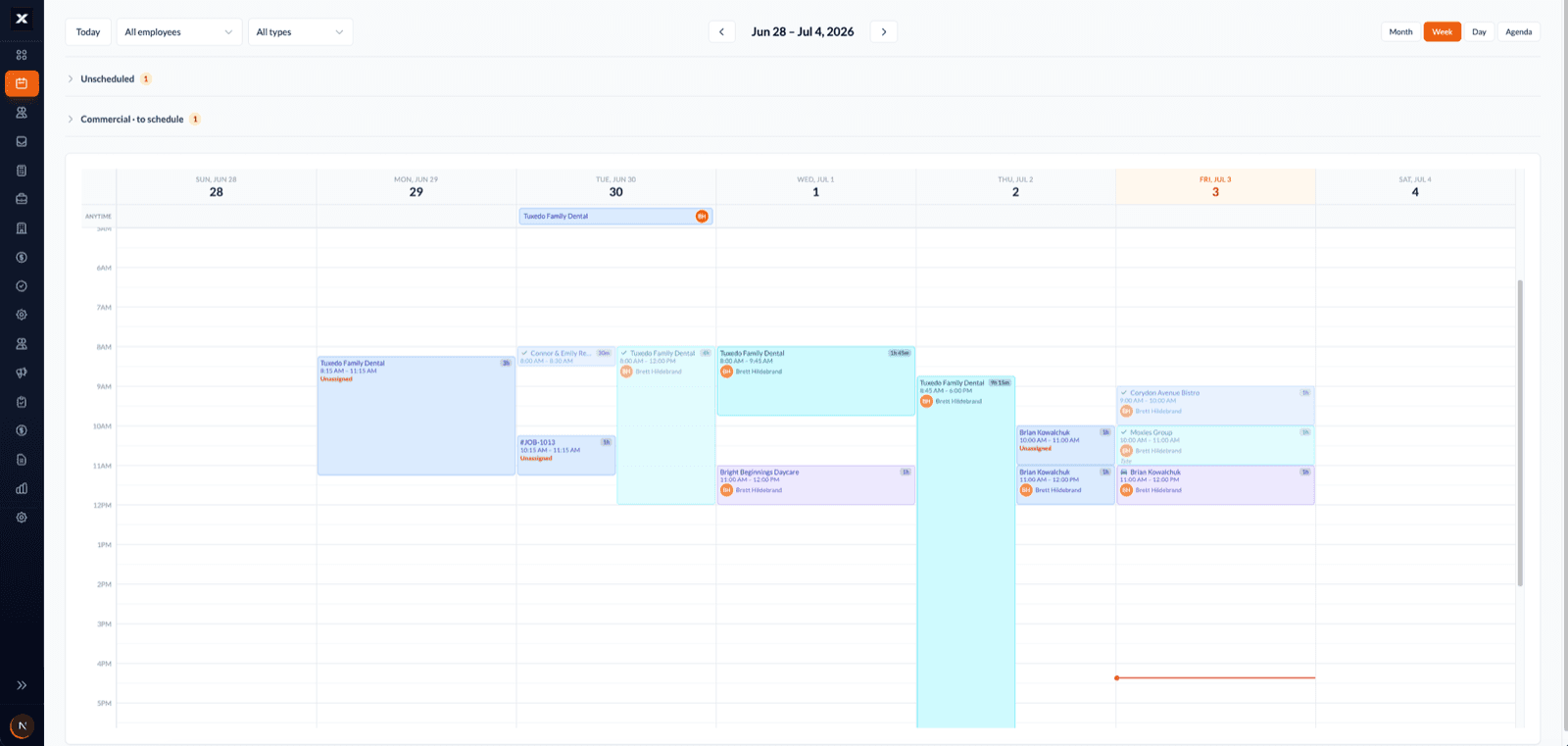
Every tech’s day on one screen. Drag a job to move it, the crew’s phones update, and the client gets a reschedule email under your business name.
Clients hear from you automatically
Booking confirmations, reschedule notices, and on-my-way emails go out on their own. Fewer “when are you coming?” calls to interrupt your day.
Hours tracked on the job, not remembered later
Techs clock in on site with GPS. You see the real hours behind every job, so you know which work pays and which quotes were too thin.
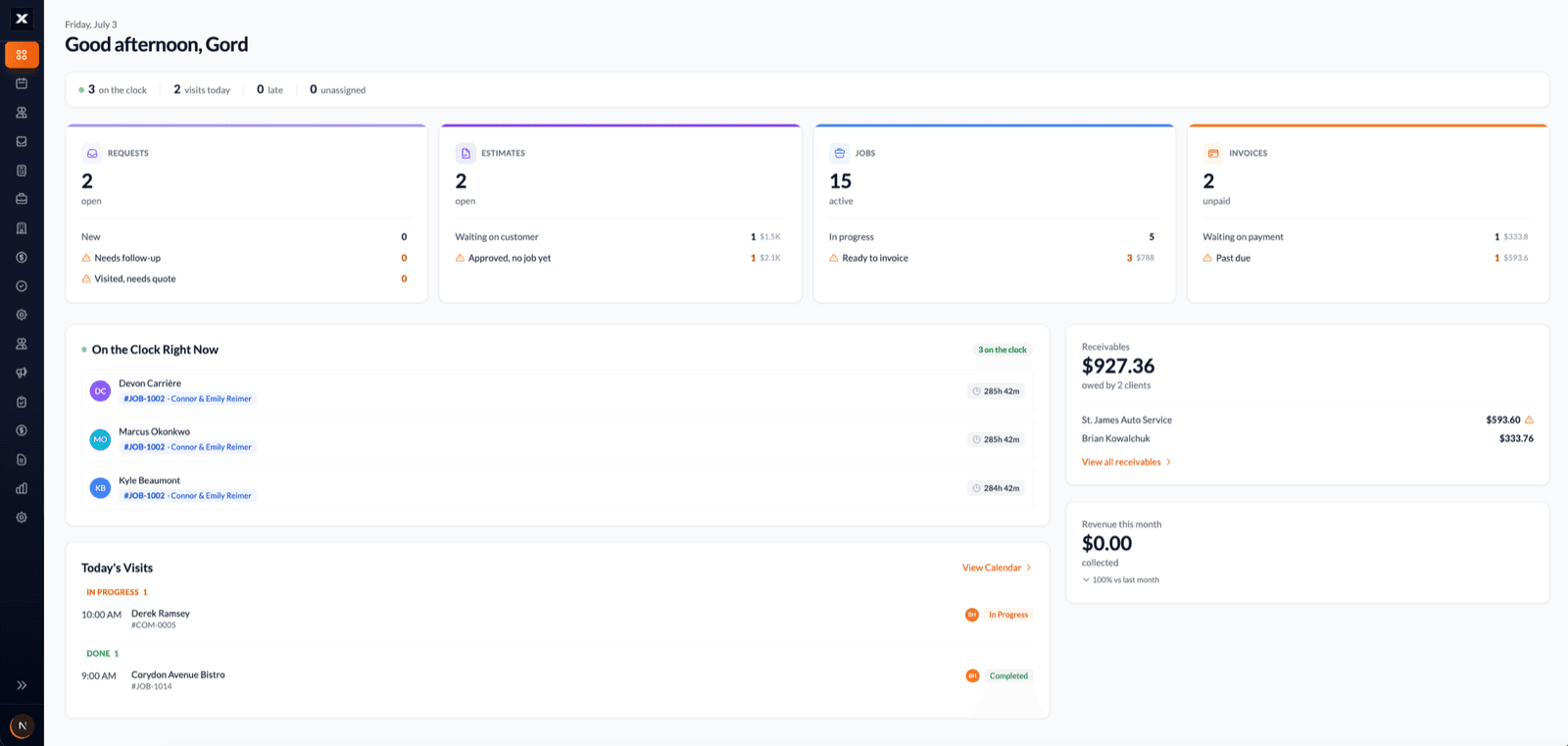
The job pipeline and the dispatch board.
Quote-to-invoice job management, and scheduling your crew can actually read. That's the product, not forty modules you'll pay for and never open.
One pipeline from request to invoice.
- Requests, quotes, jobs, and invoices connect. Win a quote and it becomes a job, finish a job and it becomes an invoice.
- Quotes priced from your own price book and sent as branded PDFs.
- Nothing waits for the office. Techs see the job, the office sees the progress.
- 1
Request
A client calls about a furnace that quit. It goes in as a request, not on a sticky note.
- 2
Quote
Priced from your price book, sent as a branded PDF by email.
- 3
Scheduled
The yes becomes a job on the calendar. Crew notified, client confirmed.
- 4
In progress
The tech taps on my way, clocks in on site, and photos attach to the job.
- 5
Invoiced
The invoice is built from the job and sent the same day, not Sunday night.
Every tech’s day on one board.
- Drag jobs onto techs for the day or the week. Recurring visits build themselves.
- Crews get the day on their phones: the address, the scope, the notes, the history.
- GPS clock-ins show who’s on site right now, and the hours land on the job automatically.
Set up in an afternoon. Run from your phone.
Add your clients and crew
Bring in your client list or add them as you go. Invite techs by phone or email, and they’re on the app in minutes.
Quote it and win it
Build the quote from your price book and send it as a branded PDF. When the client says yes, it becomes a job in two taps.
Schedule and dispatch
Drag the job onto the calendar. The crew sees it on their phones and the client gets a confirmation email.
Track, finish, invoice
Techs clock in with GPS, notes and photos land on the job, and the finished work turns into an invoice without retyping.
Built for how service work actually runs.
The pipeline and the schedule are the foundation. These are the details that stop the 7pm office shift from following you home.
GPS time tracking built in
Techs clock in and out on the job with GPS. Real hours per job and per tech, so payroll and job costs come from actual time, not memory.
Works offline
Basements, mechanical rooms, rural properties. Everything is captured on the phone and syncs the moment signal comes back.
Automatic client emails
Confirmations, reschedules, and on-my-way notices go out under your business name, spelled right, every time, without you typing them.
Photos and notes on every job
Before and after photos, job notes, and who did what. When a client questions the work, you’ve got the file.
Recurring jobs
Weekly lawn care, monthly pool service, quarterly maintenance contracts. Set the schedule once and the visits build themselves.
Client records that follow the work
Every property, past job, quote, and invoice for a client in one place. The history is on screen before you pick up the phone.
If your team drives to the work, it fits.
Weighing Jobber, Housecall Pro, or ServiceTitan?
Good tools, all three. Here's where WorkxPro earns its place, straight up.
Built around your crew, priced per user.
Jobber is polished and deservedly popular. WorkxPro is priced per user with no plan tiers deciding how many users you get, and GPS time tracking with real job costs is part of the core, not the upper tiers. If your margin lives in crew hours, that’s the difference.
Read the full comparison →
For teams in trucks, not just one.
Housecall Pro shines for the solo operator. WorkxPro is built for running a crew: dispatch several techs a day, see who’s clocked in where, and know the labour cost on every job before you price the next one.
Read the full comparison →
Live in an afternoon, not a fiscal quarter.
ServiceTitan is powerful and priced like it, with onboarding measured in months and contracts to match. WorkxPro is month to month, set up the same afternoon, and your techs learn it in one shift.
Read the full comparison →
The straight answer: if you need built-in payment processing and online booking today, the big names are ahead there. If you want to run jobs and crews without the base fees, the contracts, or the six-month rollout, start the trial and judge it on your own work.
Priced per tech. Not per module.
No base fee, no contract, no per-feature upsells. Pick the tier that fits and switch anytime.
Professional
$14/tech/mo
Scheduling and dispatch, GPS time tracking, job costing, and payroll export.
Business
Most popular$22/tech/mo
Everything in Professional plus quotes, invoicing, client records, and a client portal. Most service businesses start here.
Enterprise
Custom
For larger operations. Dedicated support and custom feature access.
Questions service owners ask first.
Is WorkxPro an alternative to Jobber or Housecall Pro?
Yes. WorkxPro covers the same core: quotes, scheduling and dispatch, job tracking, automatic client emails, and invoicing. Where it differs: GPS time tracking and job costing are built into the core, pricing is per user with no caps per plan, and the app is offline-first. If online booking with built-in payment processing is your top priority today, Jobber and Housecall Pro are ahead there, and we’ll tell you so.
What kinds of service businesses use WorkxPro?
HVAC, plumbing, electrical, appliance repair, landscaping and lawn care, handyman, pest control, pool service, property maintenance, snow removal. Residential or commercial. If your team drives to the work, it fits.
Can I send quotes and invoices?
Yes. Build quotes from your price book, send them as branded PDFs by email, turn the win into a scheduled job, and invoice from the finished work. Nothing gets retyped between steps.
Will my techs actually use it?
Their day is one screen: where to go, what the job is, tap on my way, tap clock in. Most techs have it down in a single shift, and they keep using it because it beats texting the office.
What happens when there’s no cell signal?
WorkxPro is offline-first. Clock-ins, notes, and photos are captured on the phone and sync automatically when service returns. Built for basements, mechanical rooms, and rural routes.
How much does it cost?
Per tech per month: $14 for scheduling and GPS time tracking, $22 to add quoting, invoicing, and client records. No base fee, no contract, and the 14-day trial needs no credit card.
Running the numbers on a service business.
Practical guides on picking software, dispatching the day, and closing the gap between the quote and the bill.
Field service software for small business
The six jobs the software has to do, and the expensive extras a 5-person shop can skip.
Read more →
Dispatching without the group text
What a working day looks like when the schedule stops living in a thread.
Read more →
The quote-to-invoice loop
Three leaks between the yes and the bill, and how to close them.
Read more →
Send your next quote from WorkxPro.
Add your clients, invite your techs, and quote the next call that comes in. By the end of the week, the whole job runs through one app. The 14 days are on us.
No credit card required.