
Every hour, on the right cost code.
- Workers pick from a short list scoped to their job, not your whole code book
- Switch codes mid-shift without clocking out
- Budget vs actual hours per code, so overruns show up early
Job costing starts in the field, not in the spreadsheet.
A day is not a line item
The timesheet says nine hours. It doesn't say how many went to framing versus the punch list, so your job costing is a guess dressed up as a report.
Fifty codes, one guess
Hand workers the whole code book and they pick whatever is closest to the top of the list. Wrong codes in, useless reports out.
Overruns show up when it's too late
You find out framing blew through its hours when the job wraps, weeks after the point where you could have done something about it.
Tag the hours at clock-in, not on Friday
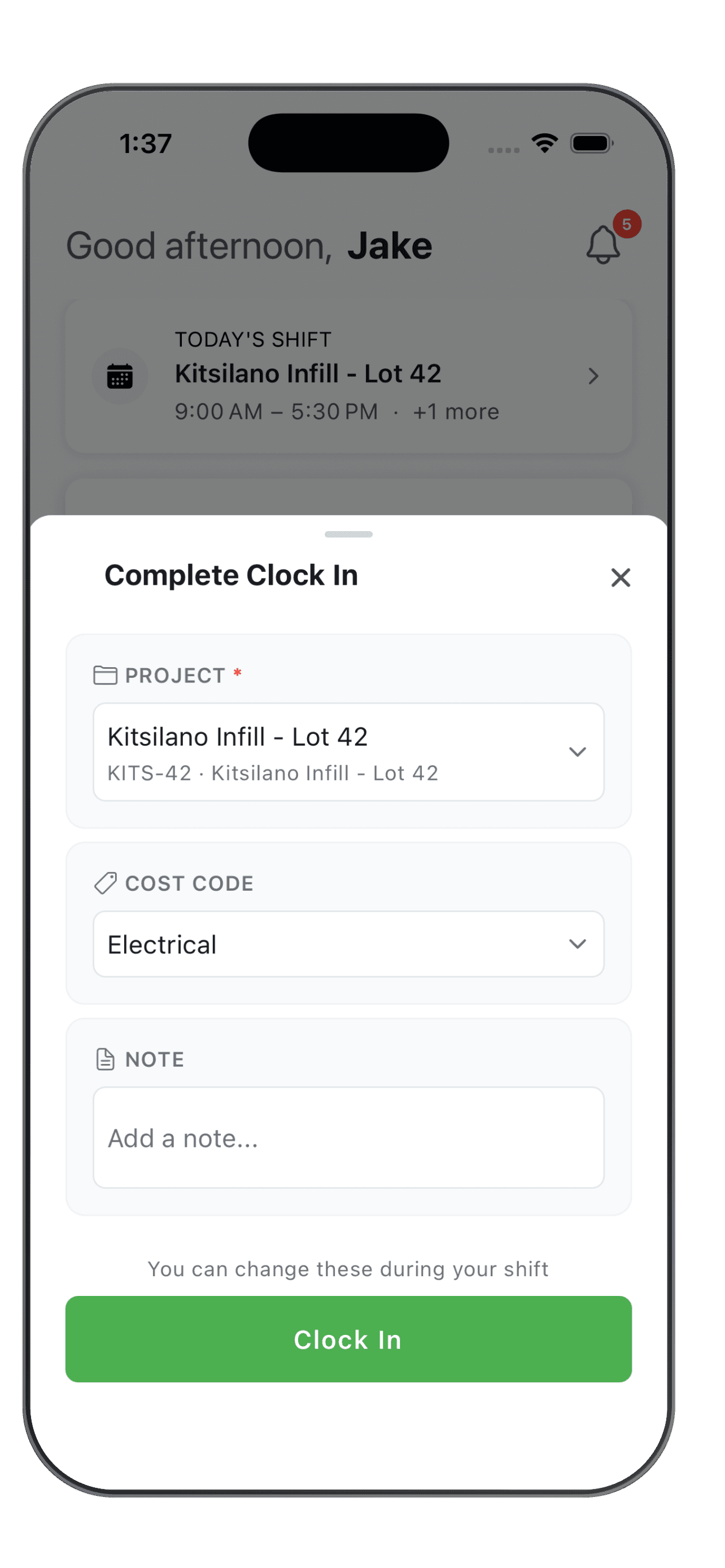
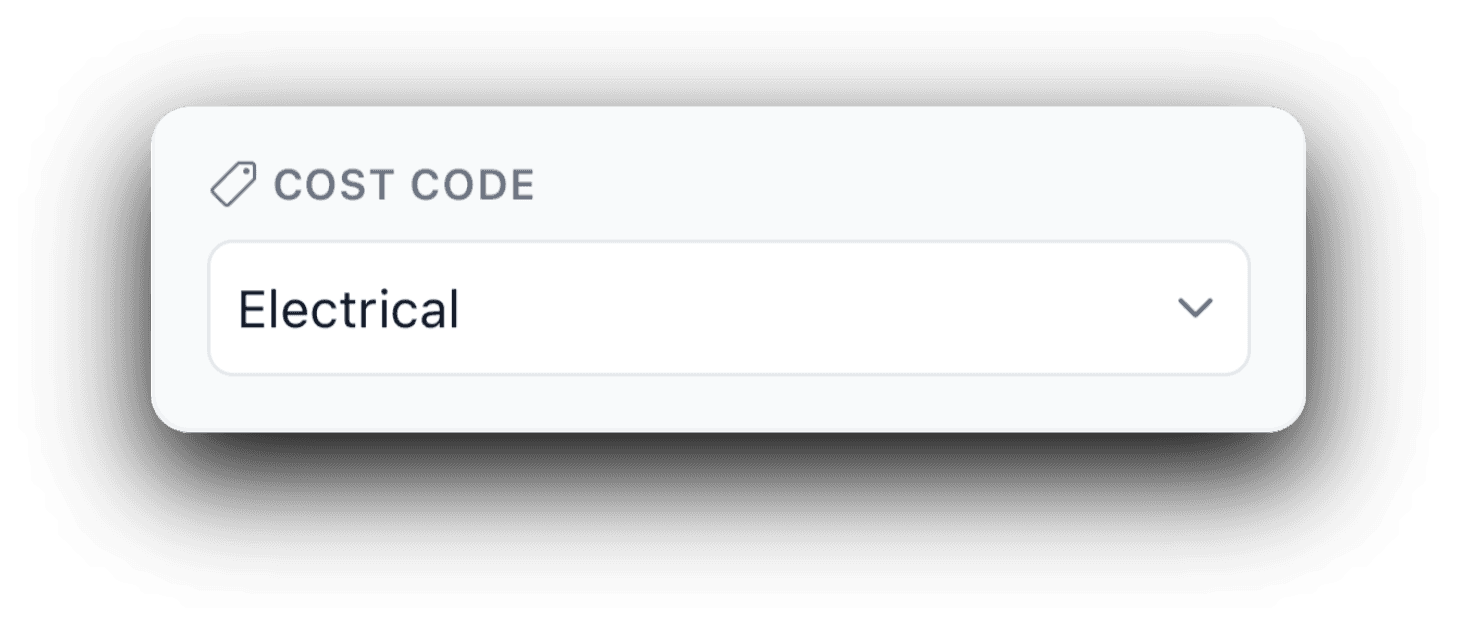
When workers clock in, they pick a cost code from a short, searchable list with their recent codes on top. Only the codes assigned to that job show up, so the right pick is also the easy one. Make the code required, or set a default per worker so they never have to think about it.
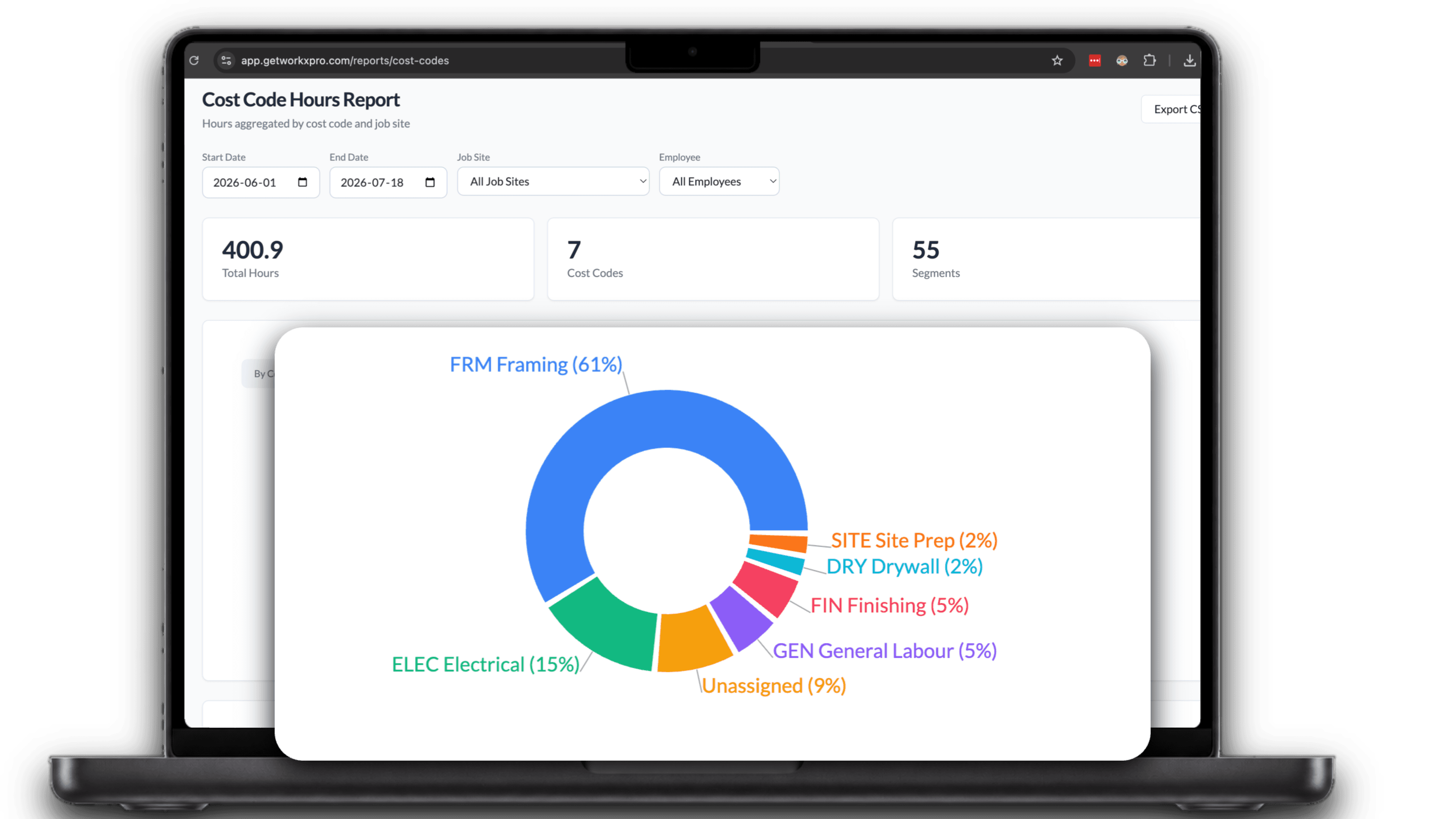
See where the week actually went
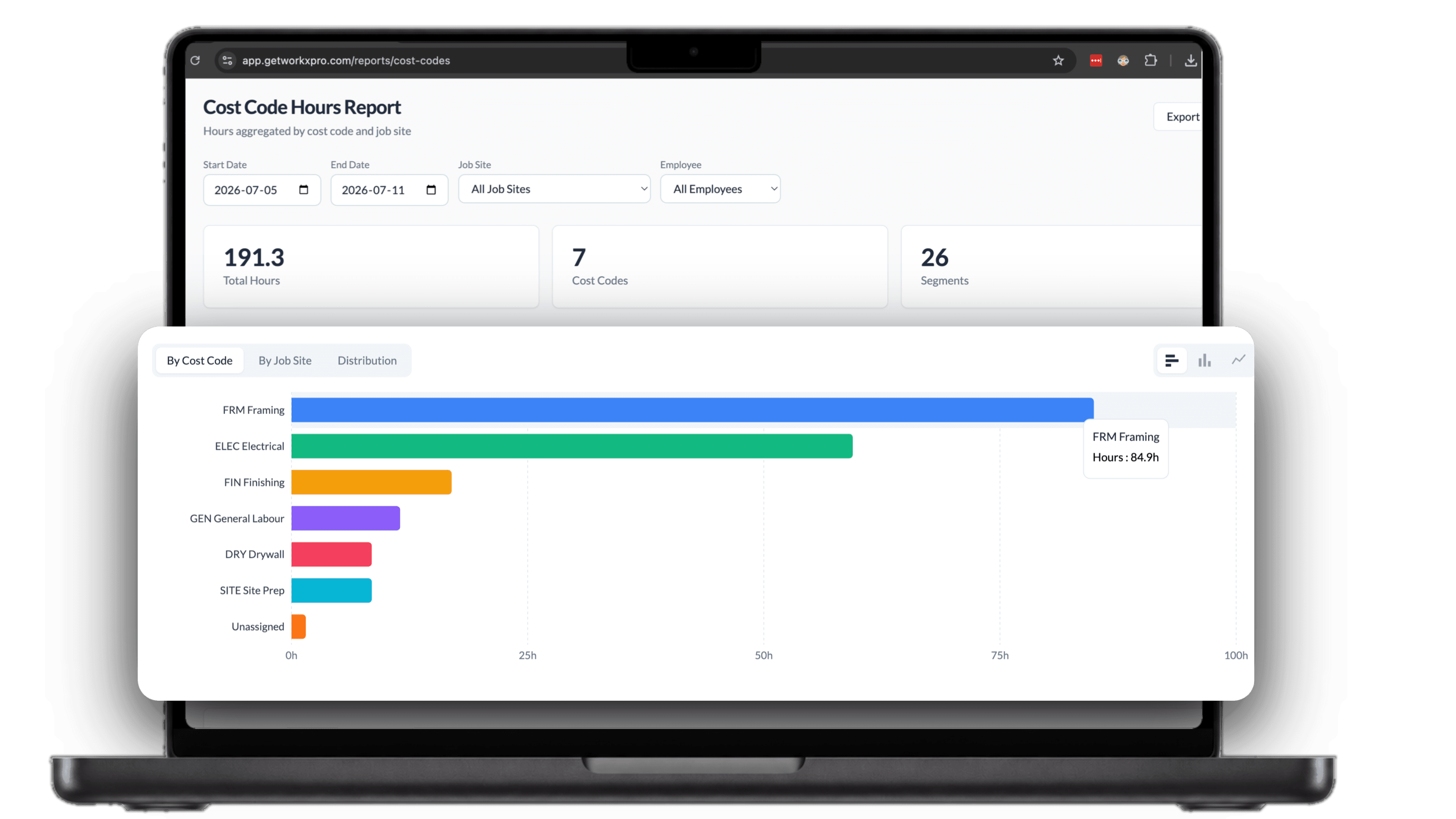
The cost code hours report rolls every clocked hour up by code and job site, built from what workers actually punched, not what someone remembered on Friday. Flip between totals by code, totals by site, and the distribution across the whole range, then export the CSV whenever accounting asks.
Budgets in hours, tracked as they burn
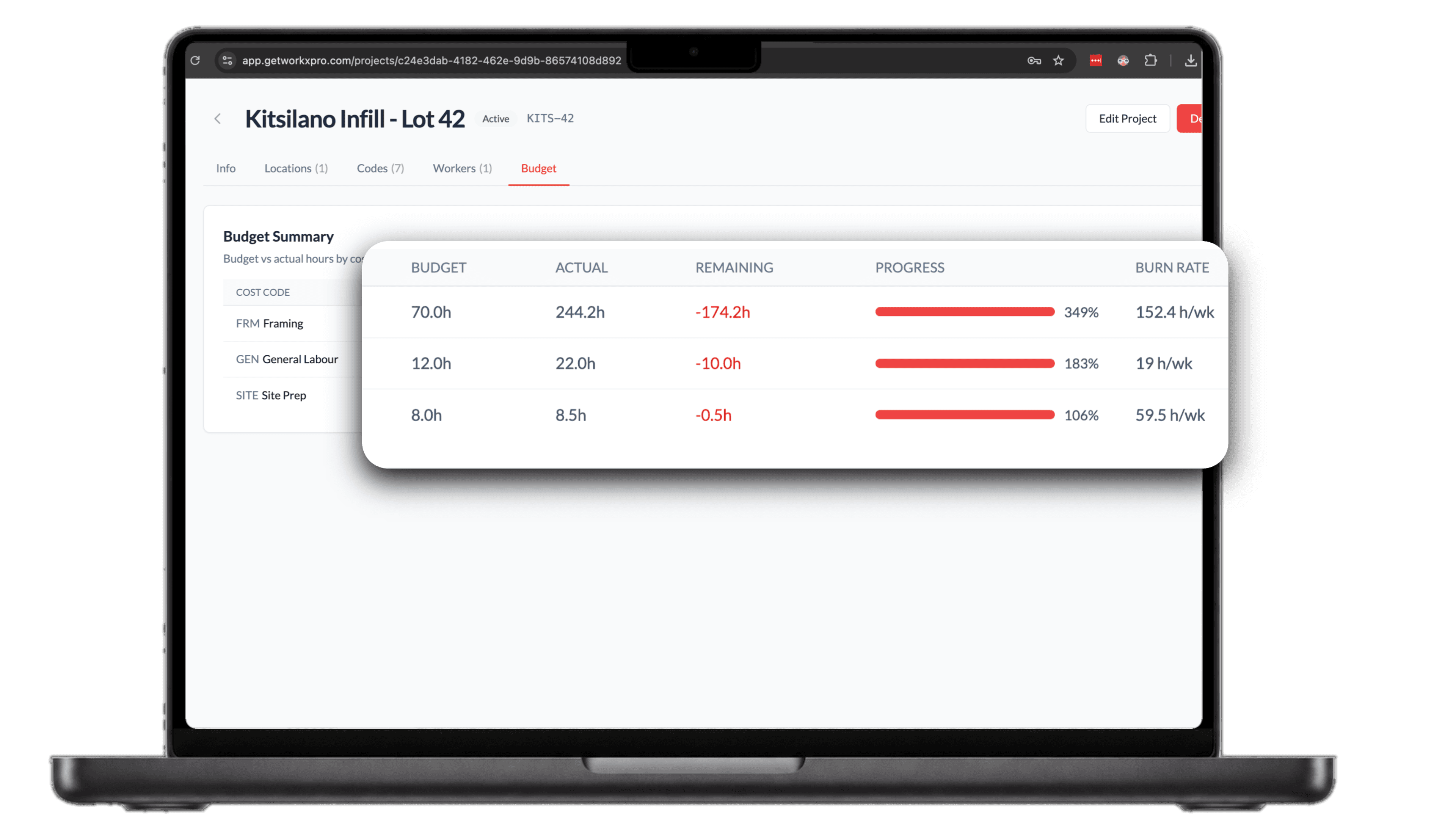
Give each cost code on a project a budget in labor hours. Every clocked hour counts against it, and the budget summary shows budget, actual, remaining, progress, and burn rate per code, while there's still time to course-correct.
Every job gets exactly the codes it needs
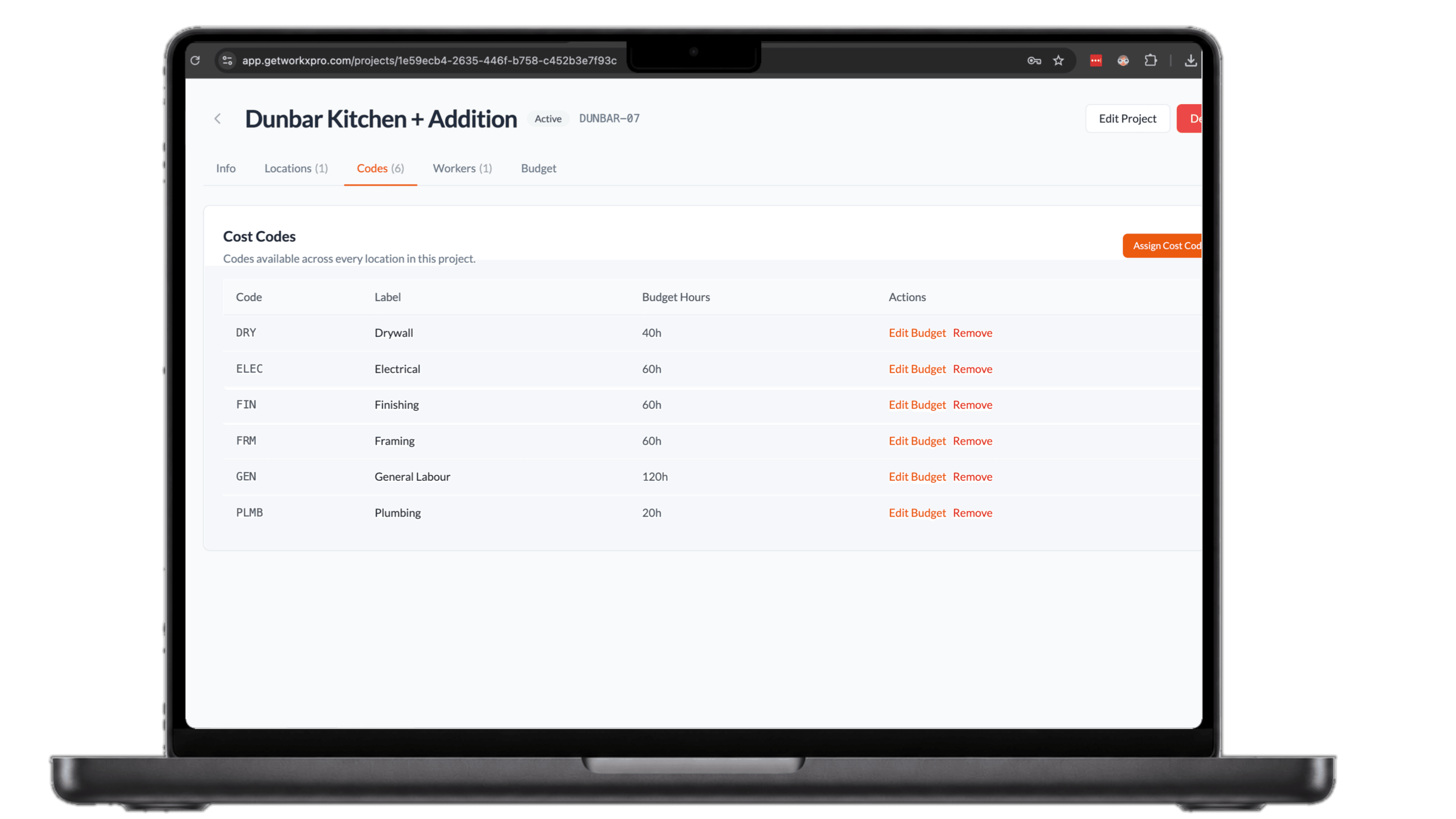
Assign cost codes to each project, each with its own budget in hours. Add one, adjust a budget, or pull a code off the job as the work changes. Whatever you assign here is exactly what workers see at clock-in, nothing more.
See how WorkxPro fits the way you work.
Construction Companies
Track hours across job sites and cost codes
Learn more →
Cleaning Companies
GPS-verified hours at every client building
Learn more →
Field Service Businesses
Quotes, scheduling, and invoicing in one app
Learn more →
Foremen & Supervisors
Approve hours and watch crews from your phone
Learn more →
Payroll Admins
Clean digital timesheets straight to payroll
Learn more →