

Overtime tracking, done before you approve.
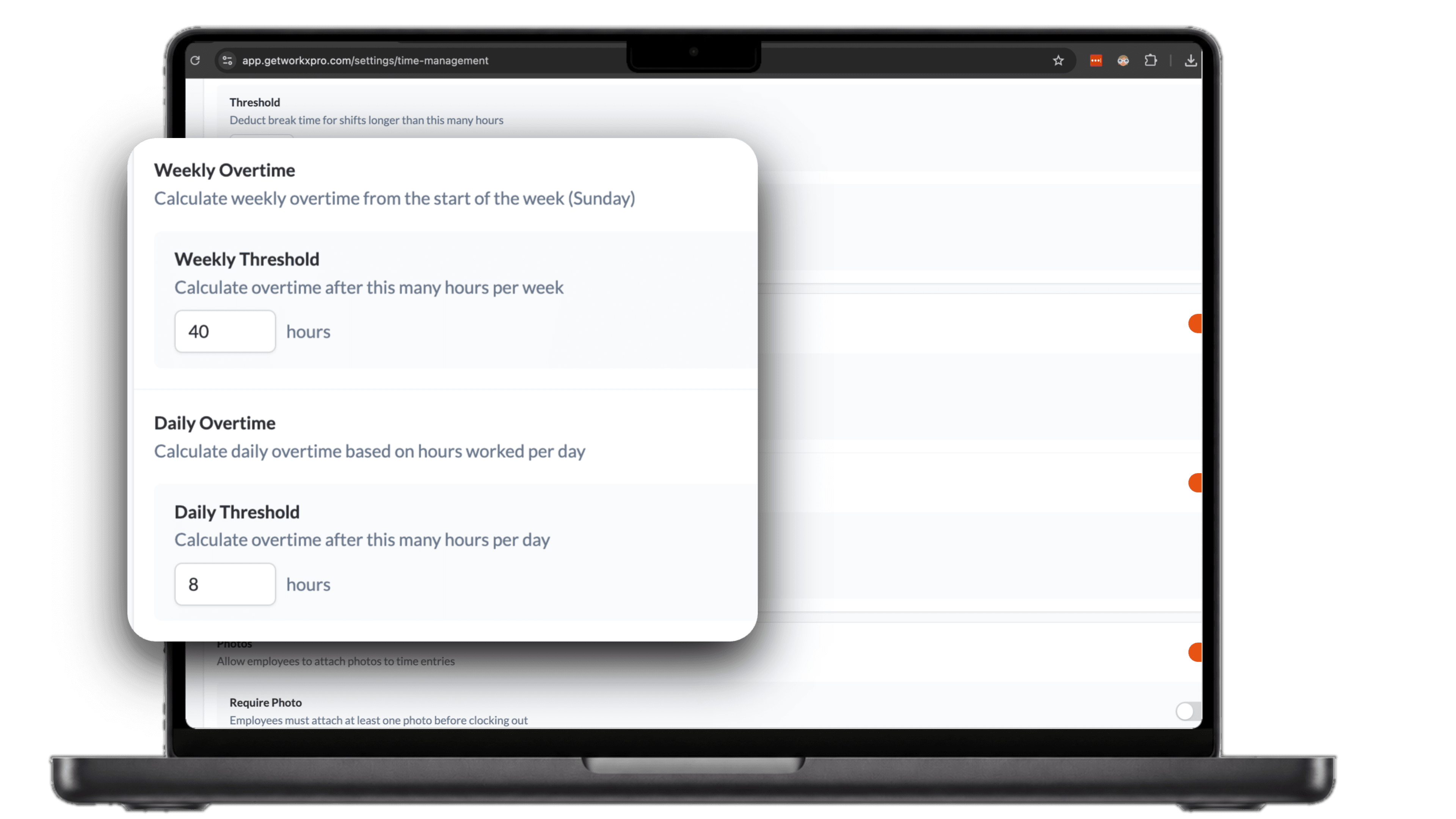
- Set your daily and weekly overtime lines once
- Hours past the line are split into overtime automatically
- Rounding applies at approval, so approved hours are paid hours
Overtime is easy to get wrong and expensive when you do.
Found on payday
Overtime shows up when you run payroll, not before, when it is too late to question the hours behind it.
Counted by hand
Splitting a week of hours into regular and overtime by hand is slow, and one wrong total quietly overpays or underpays.
Daily versus weekly
Separate daily and weekly rules turn every timesheet into a question of which hours count and when.
See who hit overtime this week
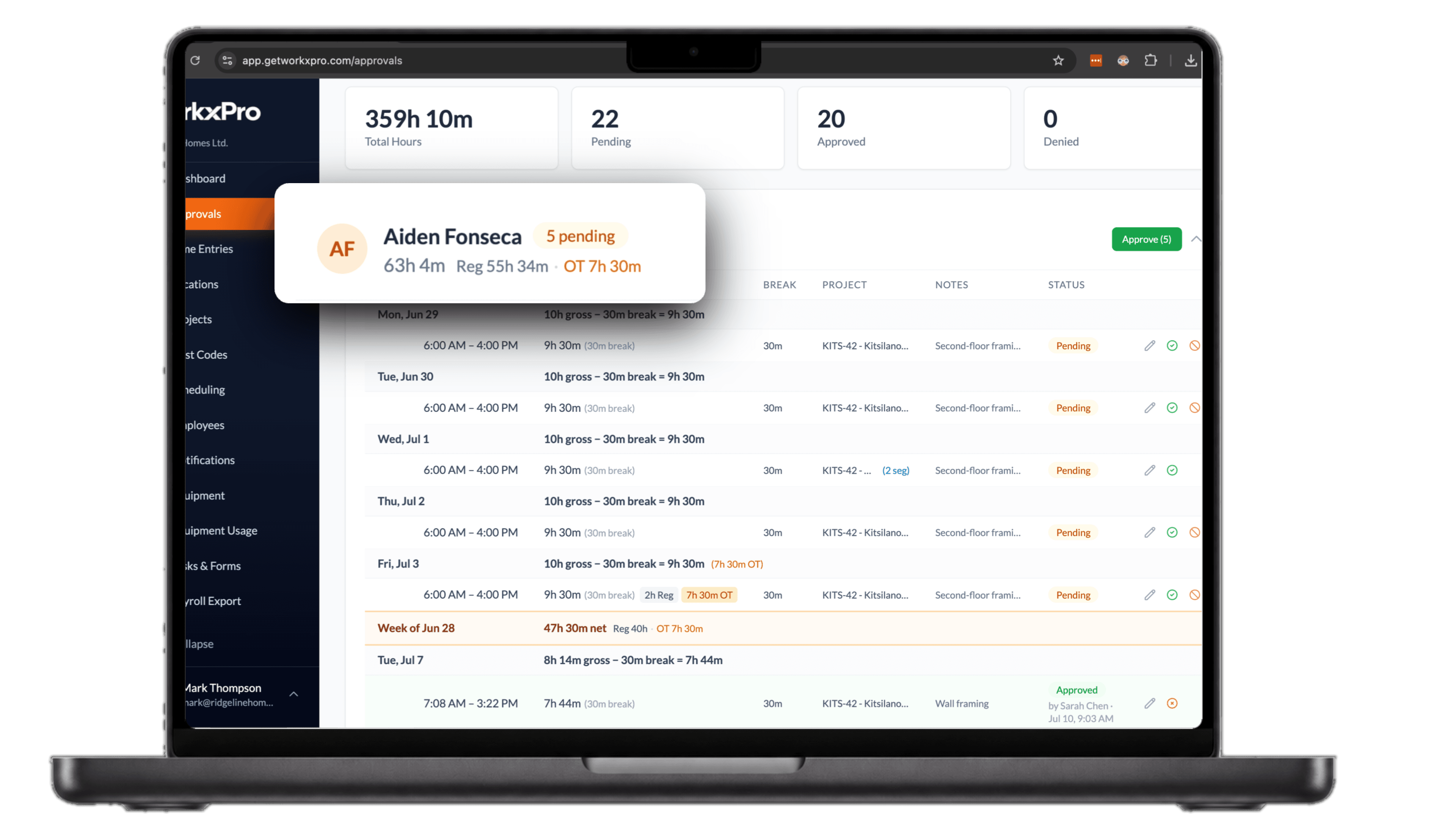
Open the week and every worker's hours are already split into regular and overtime. The moment someone passes the weekly line, the extra hours are marked as overtime and added up, so you see it before you approve, not after payroll runs.
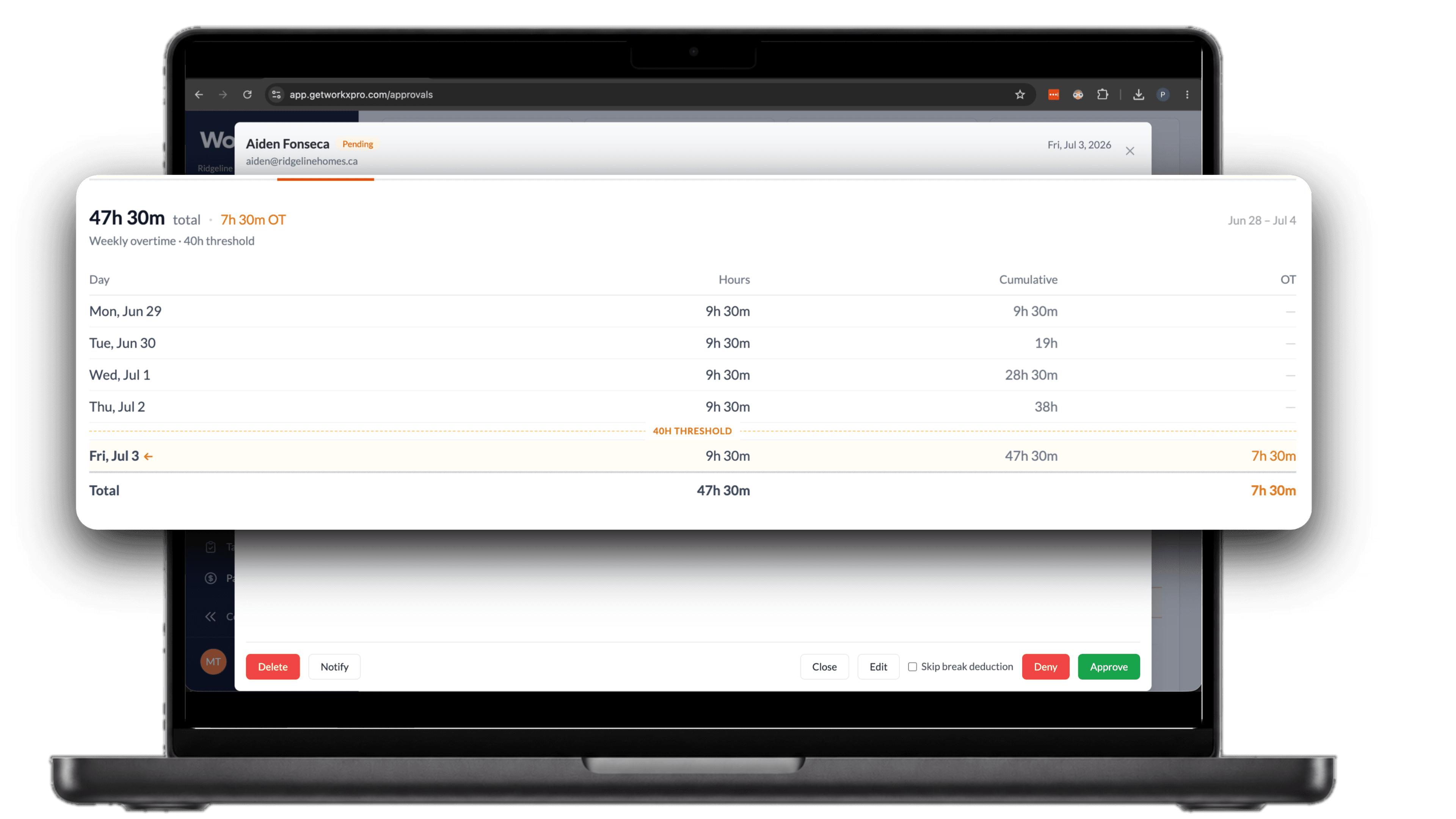
Watch the hours add up to the line
The breakdown shows the week building day by day. Aiden's hours climbed past forty on Friday, so everything after the line became overtime. Seven and a half hours of it, and you can see exactly which day it started.
How overtime tracking works in WorkxPro
No spreadsheet math and no end-of-week surprises. Three steps, set up once.
1. Set your thresholds
Pick a daily line, a weekly line, or both. Eight hours a day and forty a week, or whatever your rules are. You do this once in settings.
2. Hours split as they happen
As GPS-verified timesheets come in, hours past the line are marked as overtime and added up per worker. Nothing to recalculate later.
3. Approve and export
The approvals view shows regular and overtime already separated. Approve the week and the split carries into your payroll export as its own line.
Daily and weekly overtime aren't the same rule
Where the overtime line sits depends on where you work. The US federal rule is time and a half past 40 hours in a week. Ontario draws the line at 44 hours. BC starts daily overtime after 8 hours in a single day, even in a short week, and Alberta counts whichever is greater, past 8 in a day or 44 in a week. Rules change and some trades run on their own agreements, so check the standards that apply to you.
WorkxPro tracks daily and weekly thresholds at the same time, so hours land on the right side of whichever line applies. Travel is its own case: hours tagged as travel stay out of the overtime math entirely, so a long drive never triggers time and a half. Read more on how travel time affects overtime.
Approved hours are paid hours
Overtime is split and rounded before you ever hit approve. From there it carries into your payroll export as its own line, so the hours you signed off on are the hours that get paid. No recalculating after the fact.
Overtime tracking questions, answered
What's the best way to track overtime for a field crew?
Set your overtime thresholds once in your time tracking software and let every timesheet split itself against them. Tracking overtime by hand from paper timesheets is where errors creep in: hours get rounded, thresholds get missed, and someone gets overpaid or shorted. WorkxPro marks overtime automatically from GPS-verified clock-ins.
Does WorkxPro calculate overtime automatically?
Yes. You set a daily threshold, a weekly threshold, or both, and hours past the line are split into overtime on their own. There's nothing to tally at the end of the week.
What's the difference between daily and weekly overtime?
Weekly overtime starts after a set number of hours in a week, like 40 in the US or 44 in Ontario. Daily overtime starts after a set number of hours in a single day, like 8 in BC, even if the week stays short. Some provinces use both, so WorkxPro tracks both thresholds at once.
Can I see who hit overtime before payroll runs?
Yes. The approvals view shows each worker's week with regular and overtime hours already separated, including which day the hours crossed the line. You see it before you approve, not on the payroll report.
How does overtime get into payroll?
Overtime is split and rounded before approval, and approved hours carry into the payroll export with overtime as its own line. Push to Payworks and the hours you signed off on are the hours that get paid.
Do travel hours count toward overtime?
Not when they're tagged as travel. Travel segments are classified separately from regular work, so a long drive doesn't push a worker past the overtime threshold by mistake.
Prefer to keep overtime as time instead of cash? See how banked hours work.
Overtime, already split when payroll runs
14-day free trial. No credit card required.