

Approve the week with proof behind every hour.
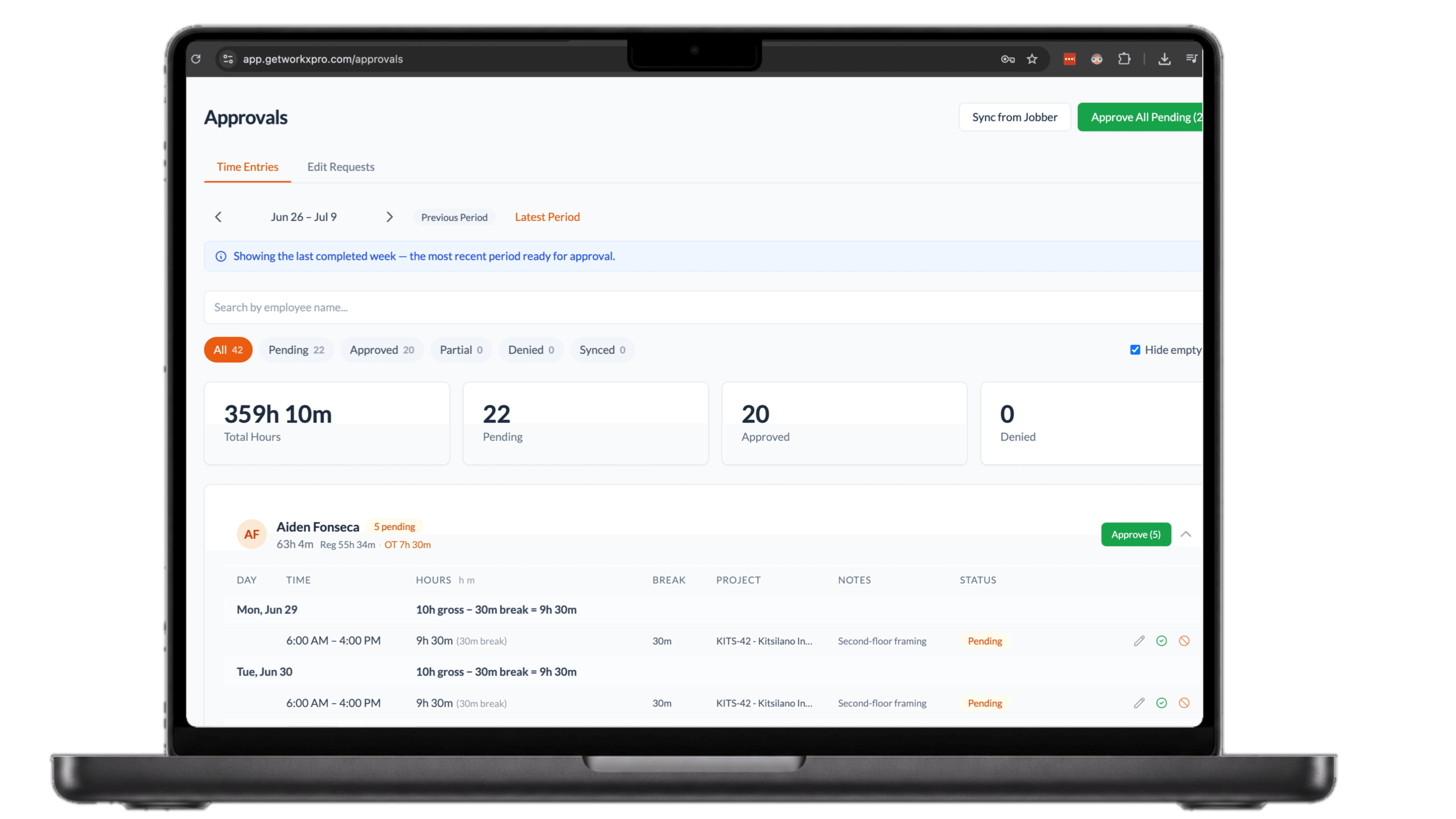
- A week per employee, with overtime and breaks already calculated
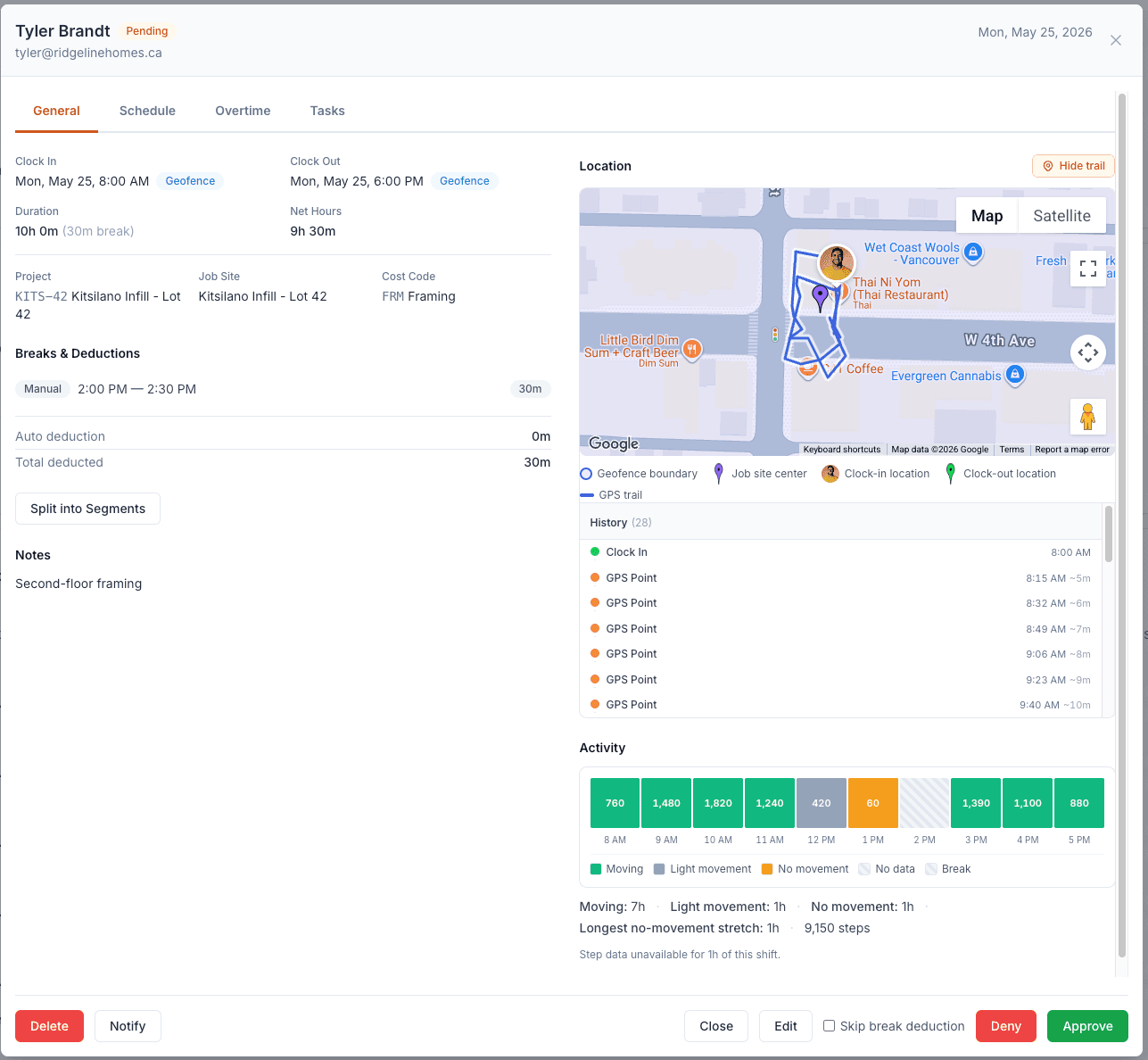
- GPS punches, geofence checks, and the day’s trail on every entry
- Approve one entry, one employee, or all pending in a tap
Payroll is only as good as the sign-off behind it.
The Friday timesheet pile
Every timesheet lands at once and payroll runs Monday. There is no time to check anything, so approval turns into a rubber stamp.
Approving on faith
A number on paper says nothing about where or when the work happened. You sign off on trust, and trust is what gets padded.
Corrections by text message
Forgot to clock out Tuesday arrives as a text on Friday. You fix it by hand, and three weeks later nobody remembers what changed or why.
The math is already done when you open the week
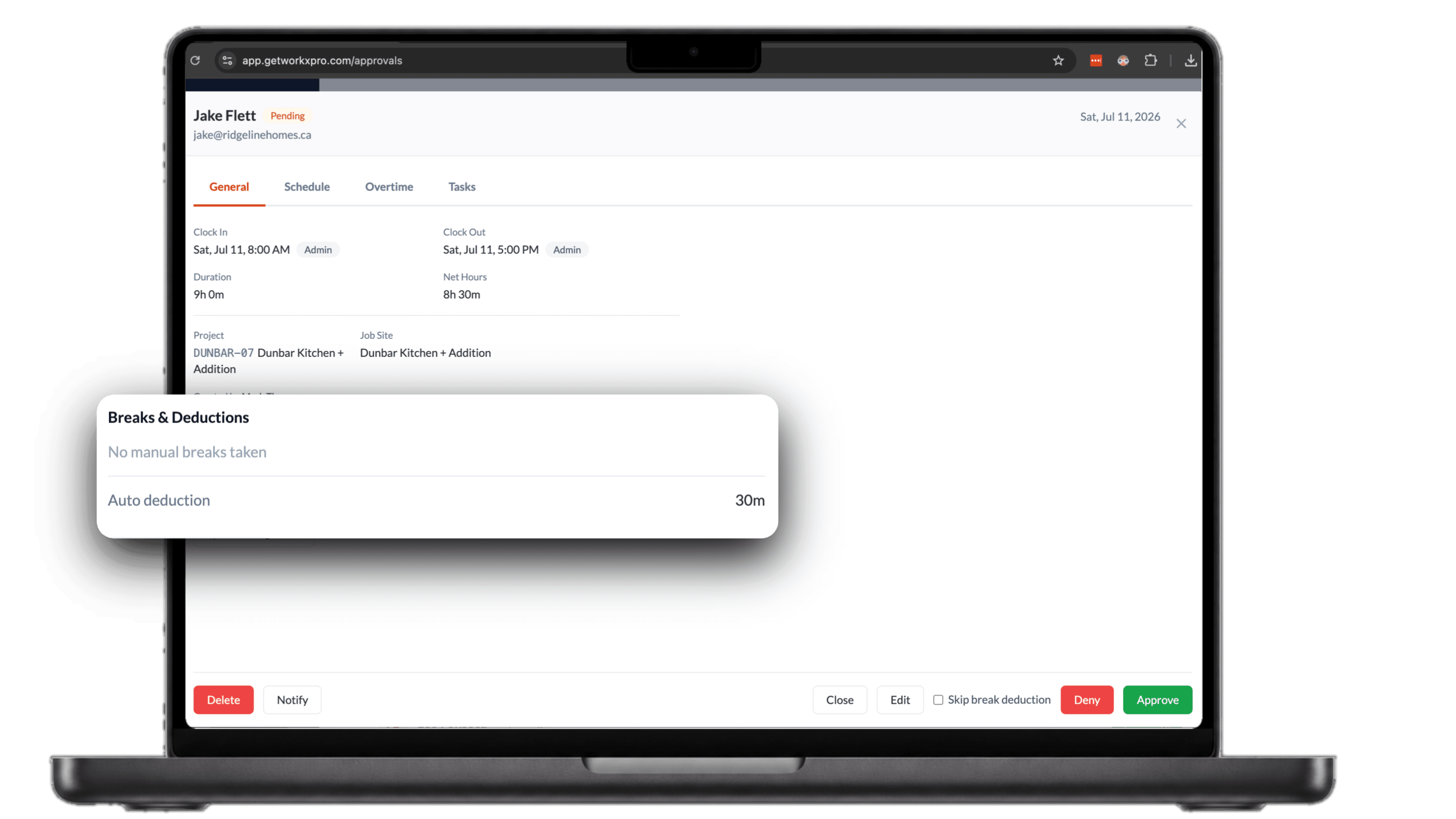
Every day shows gross hours, breaks, and net time, with overtime flagged where it happened. Break deductions are itemized right on the entry, so when a nine hour shift lands at eight and a half, you can see exactly why. You review the week, not recalculate it.
Open any entry and see the whole day
Clock-in and clock-out stamped by the geofence, the day's GPS trail on the map, and movement activity hour by hour. If something looks off, deny it with a reason the worker sees. If it checks out, approve it right there. Either way, you decided on evidence, not memory.
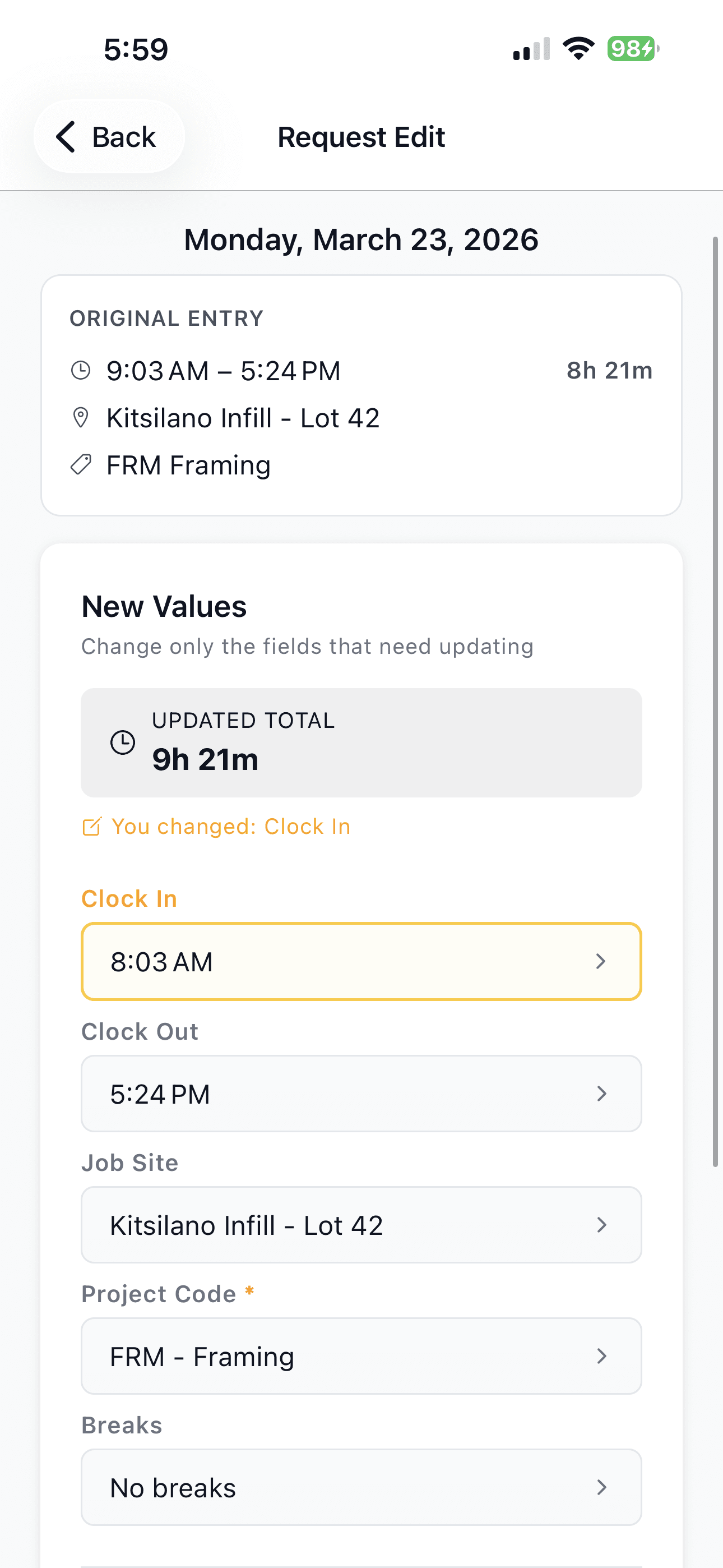
Corrections come as requests, not texts
A worker who clocked in late fixes it from the app: the original entry stays visible, the changed field is highlighted, and the new total is calculated before it ever reaches you. You approve or deny it from the same approvals screen, and the record updates itself. No sticky notes, no mystery edits.