
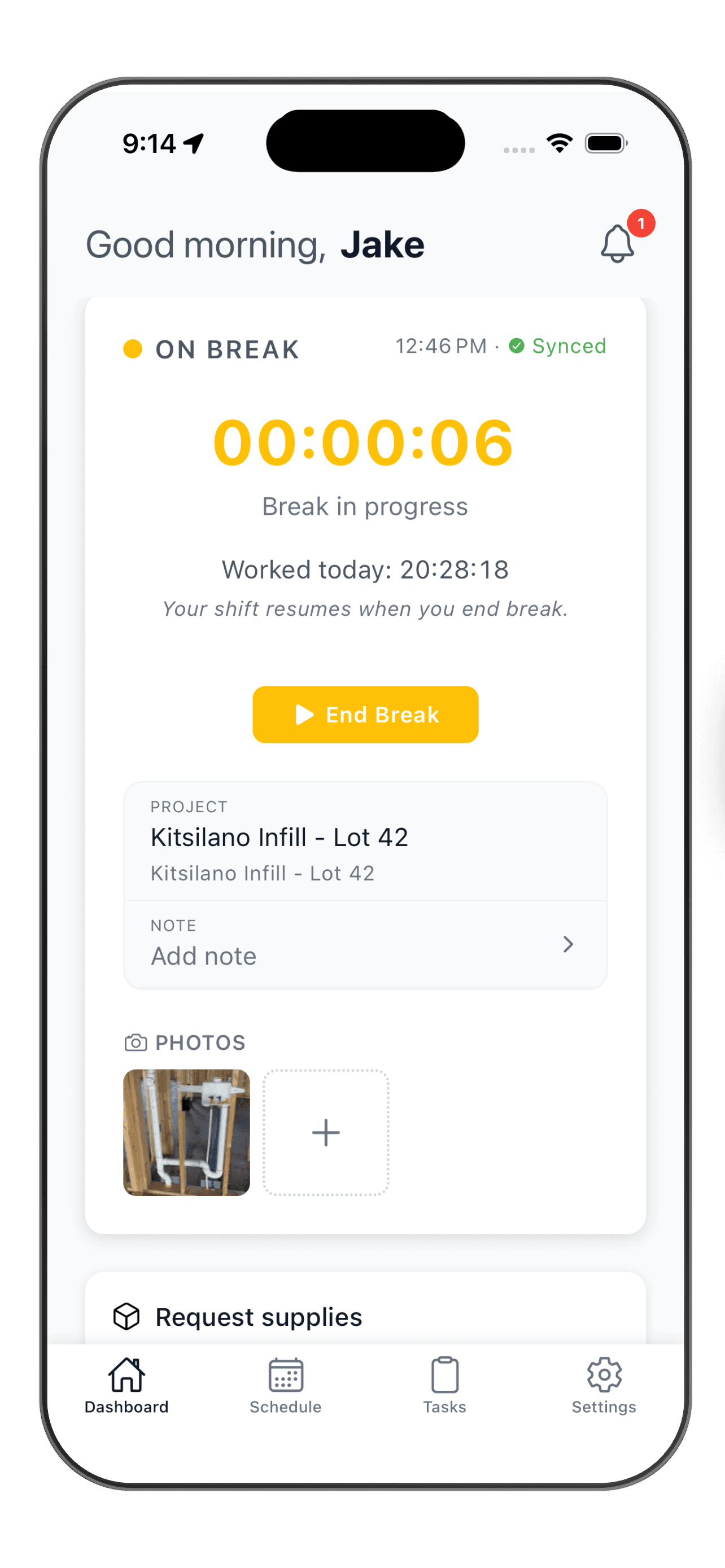
Every break on the record, paid or unpaid.
- Workers start and pause breaks right inside the shift
- Paid and unpaid breaks tracked separately
- Automatic deductions apply your break rule to every qualifying shift
Break time is where timesheets quietly go wrong.
Breaks nobody wrote down
Lunches and quick coffees never make it onto the paper timesheet, so the hours are wrong before payroll even starts.
Paid or unpaid, nobody is sure
Some breaks are on the clock, some are not. Without a record, every week turns into a judgment call at approval time.
Deductions done from memory
Someone subtracts thirty minutes by hand, some weeks and not others. It is inconsistent, and it is exactly what an audit looks for.
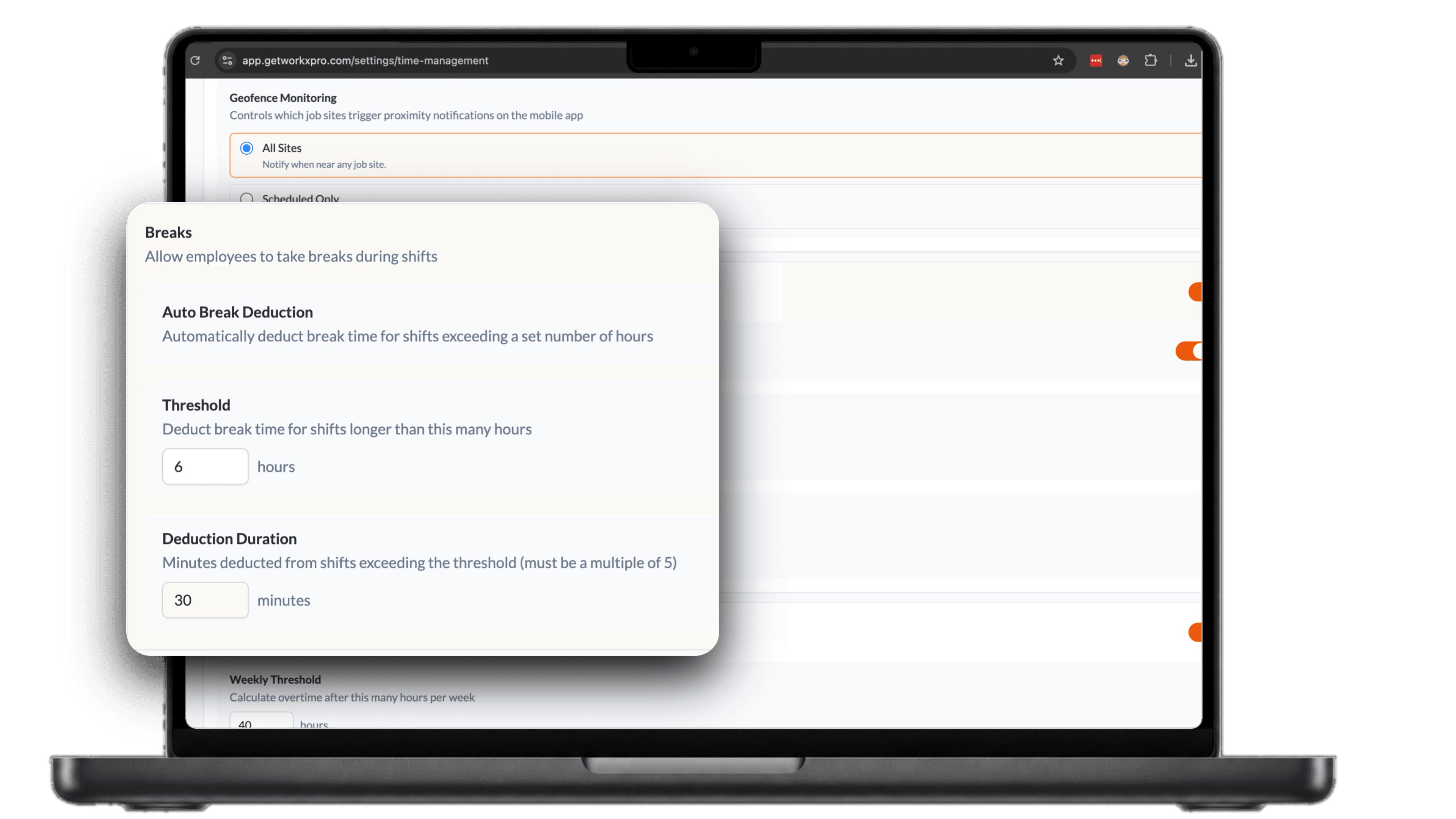
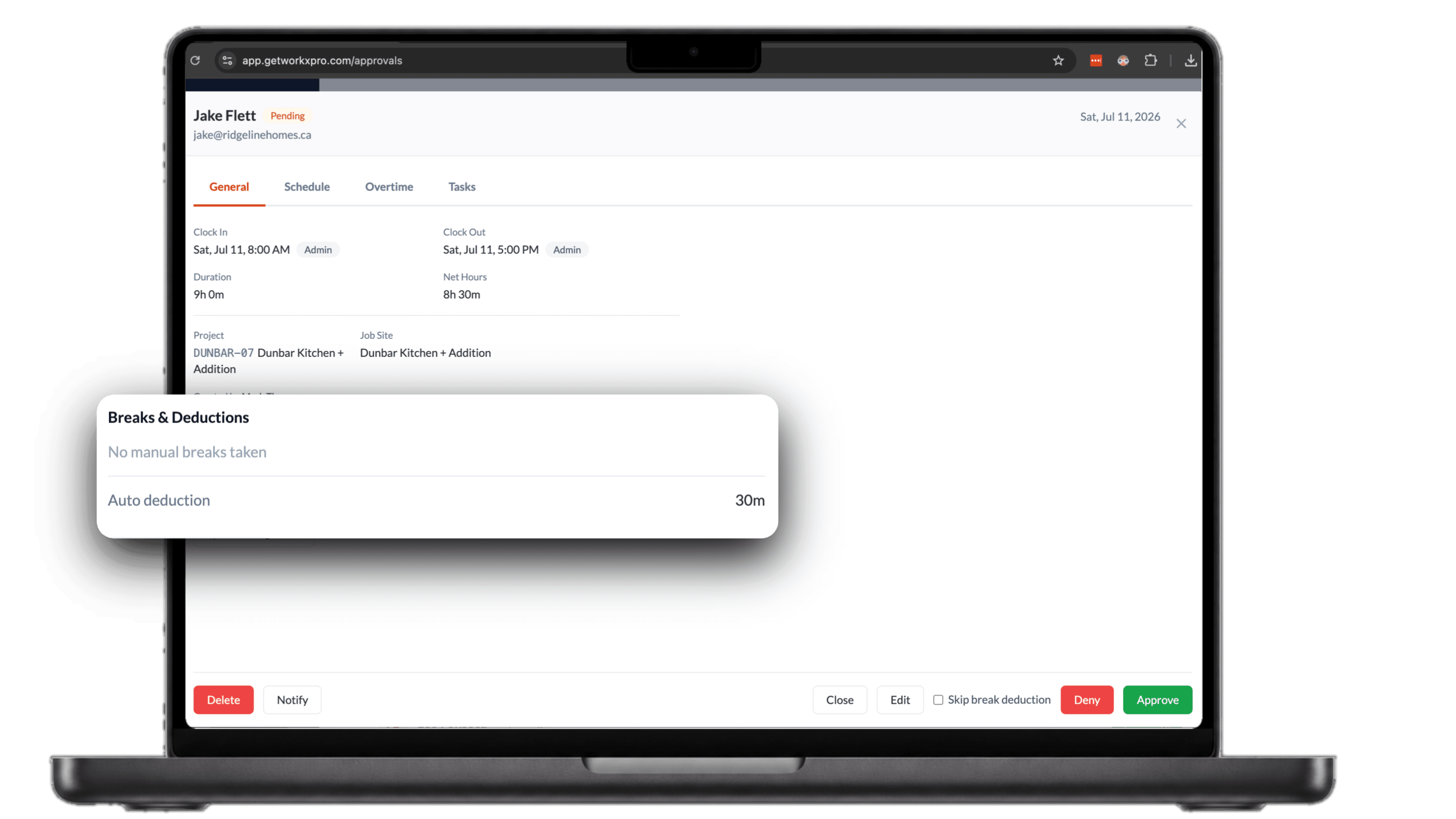
No break logged? Your rule still applies.
When a shift runs past the threshold you set and nobody started a break, WorkxPro applies the deduction from your settings on its own. Here Jake worked nine hours with no break, so thirty minutes comes off and his net lands at eight and a half hours. No chasing, no guessing.
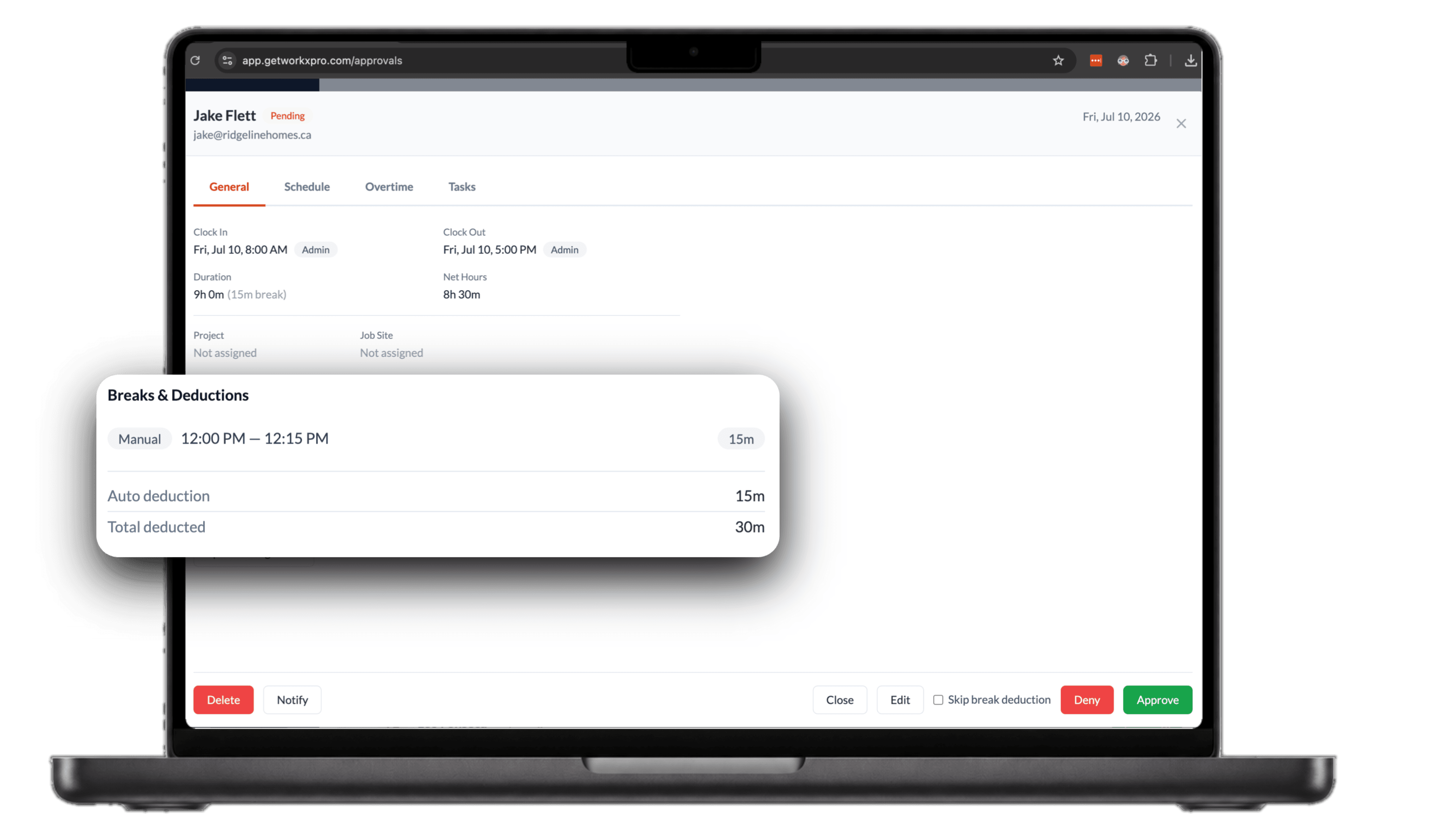
Took a short break? We top up the difference.
If someone logs a break shorter than your rule, WorkxPro counts what they actually took and only makes up the missing minutes. Jake logged a fifteen minute break against a thirty minute rule, so WorkxPro adds the other fifteen. The break he took still counts, and the total still matches your policy.